Logo
  • Ciri-ciri
  • Harga
  • Sokongan
  • Hubungi
  • Blog
  • E-Invois
  • Tentang
  • Integrasi
  • API
  • Tentang Integrasi API
  • Log Masuk
    Perakaunan
    Poin Jualan (POS) Pesanan Kerja
Warning! Payment is due for the implementation of this System. Please refer to the Product Detail page.
Warning!

Import functions in TreezSoft - Part 2

Diterbitkan Oleh  casey  pada  Aug 11 2021 12:44        3037


Customer Module:

- Customers

To import the list of customers to TreezSoft, navigating through Customer > Manage > Customers.
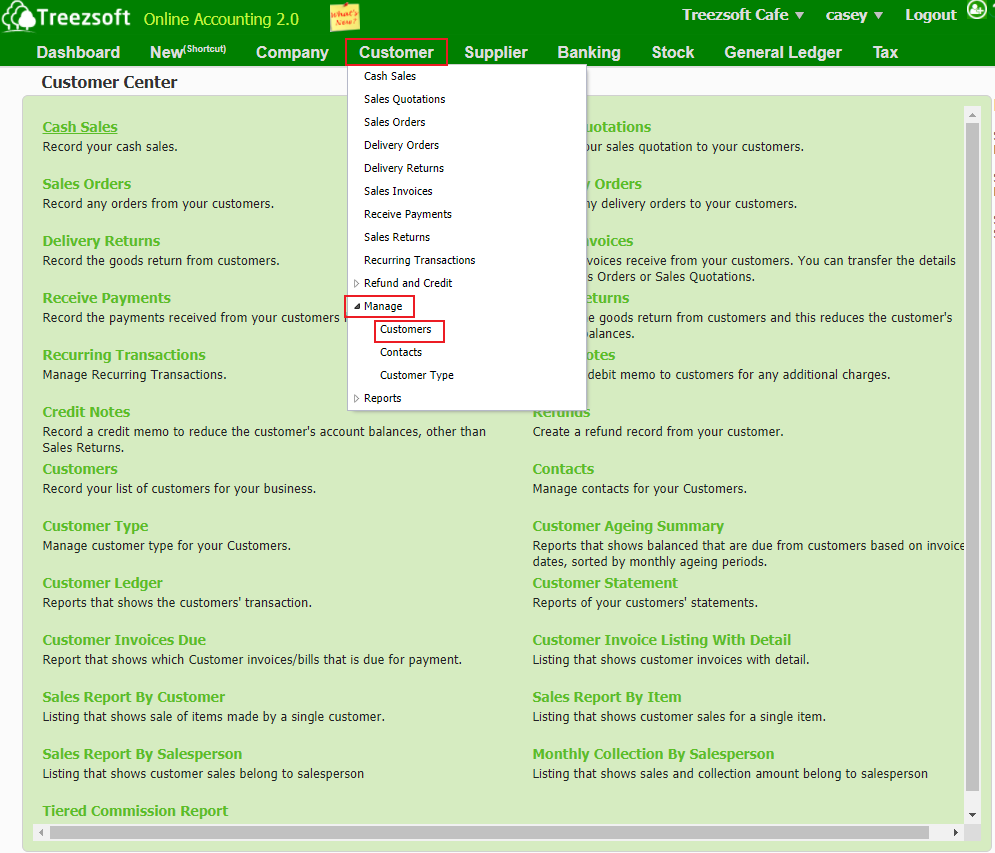
Click on the “Import Customers" button at the bottom left corner.
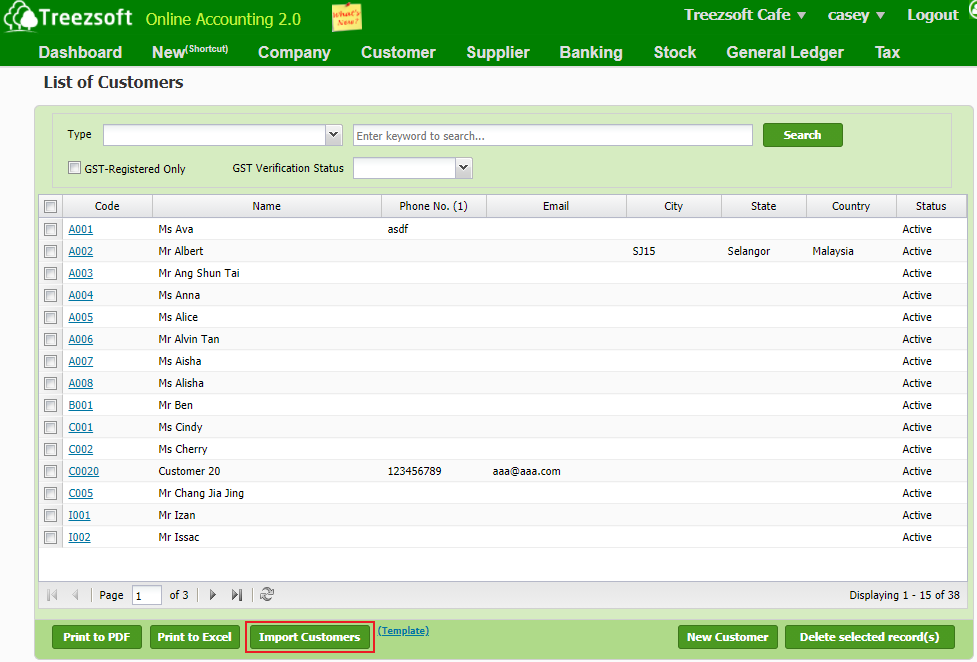
You will see the screen below after you click on the import button.
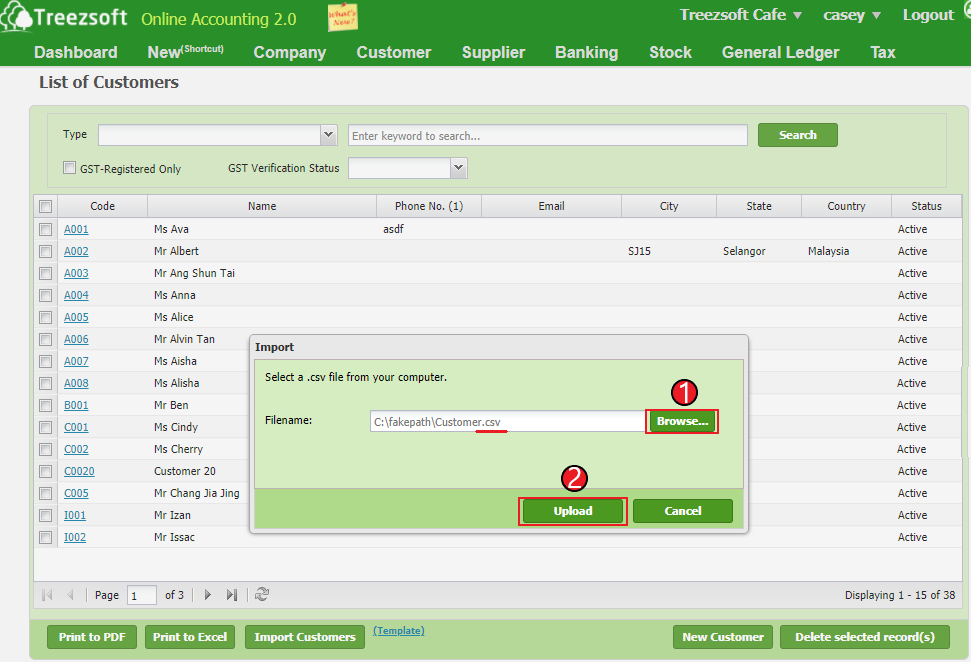
1. Click on "Browse" to select your customers based on a formatted CSV file provide by TreezSoft.

2. Click on "Upload' to proceed.

*Note: Download the exact formatted CSV file here. 


Supplier Module:

- Suppliers

To import the list of suppliers to TreezSoft, navigating through Supplier > Manage > Suppliers.
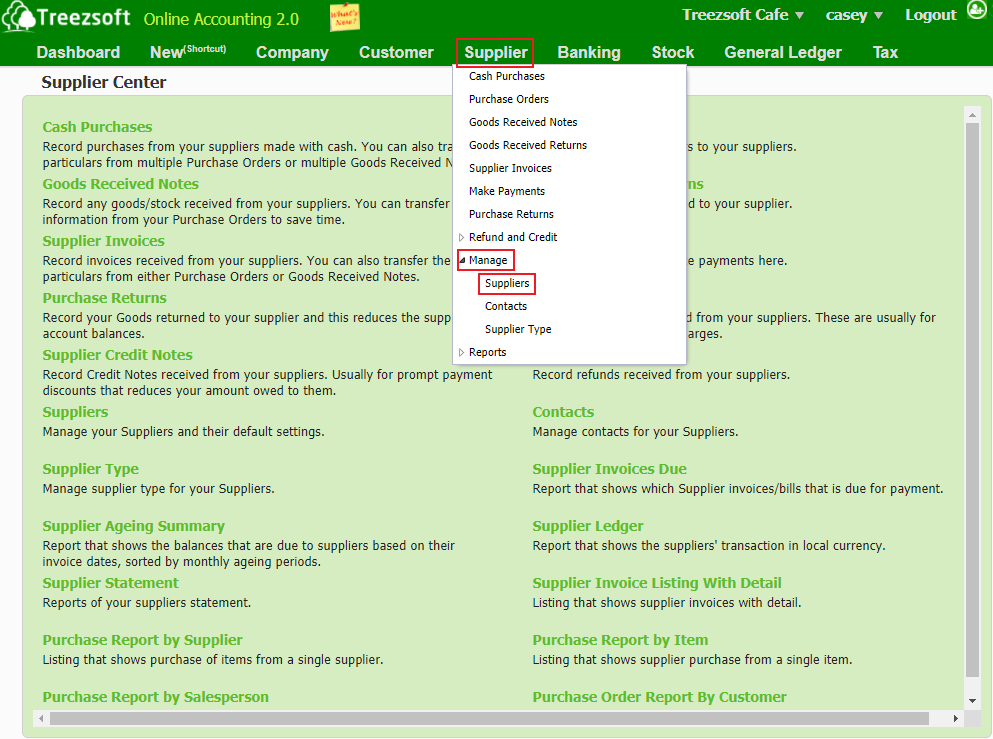
Click on the “Import Suppliers" button at the bottom left corner.
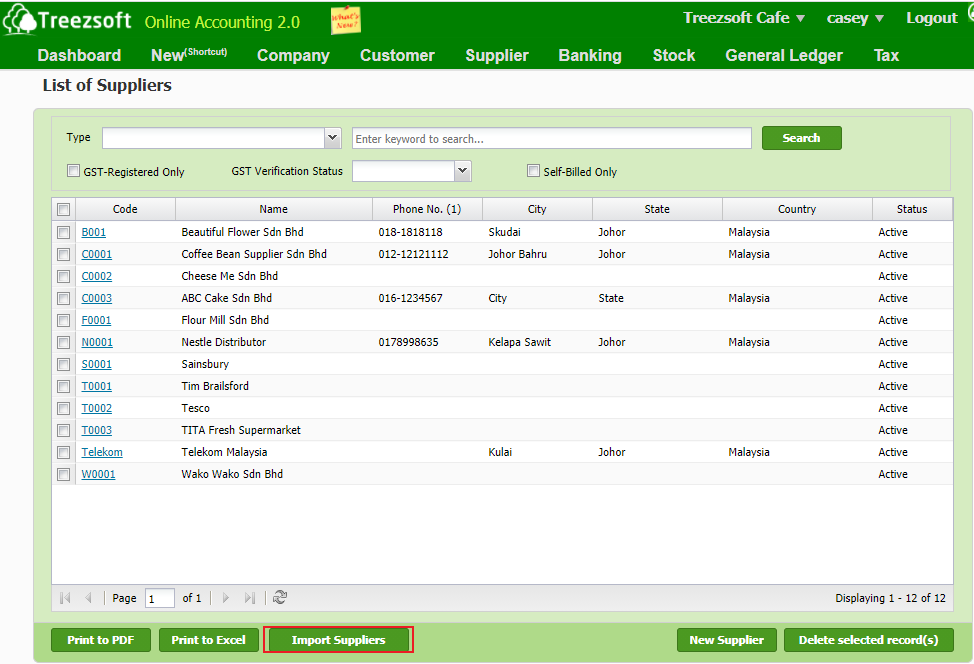
You will see the screen below after you click on the import button.
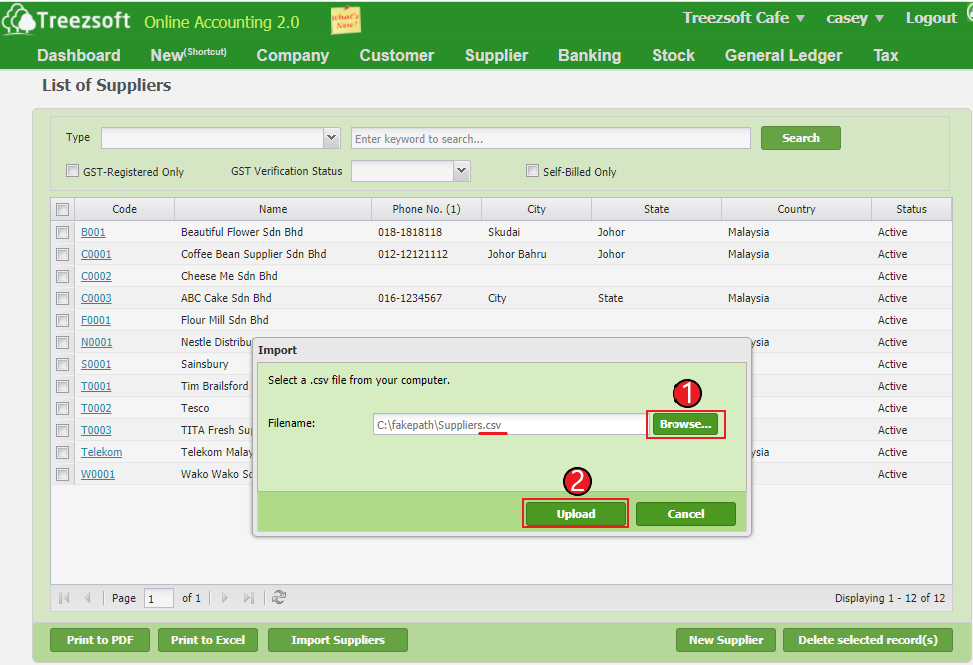
1. Click on "Browse" to select your suppliers based on a formatted CSV file provide by TreezSoft.

2. Click on "Upload' to proceed.

*Note: Download the exact formatted CSV file here. 


Stock Module:

- Manage: Stock Items

To import the list of stock items to TreezSoft, navigating through Stock > Manage > Stock Items.
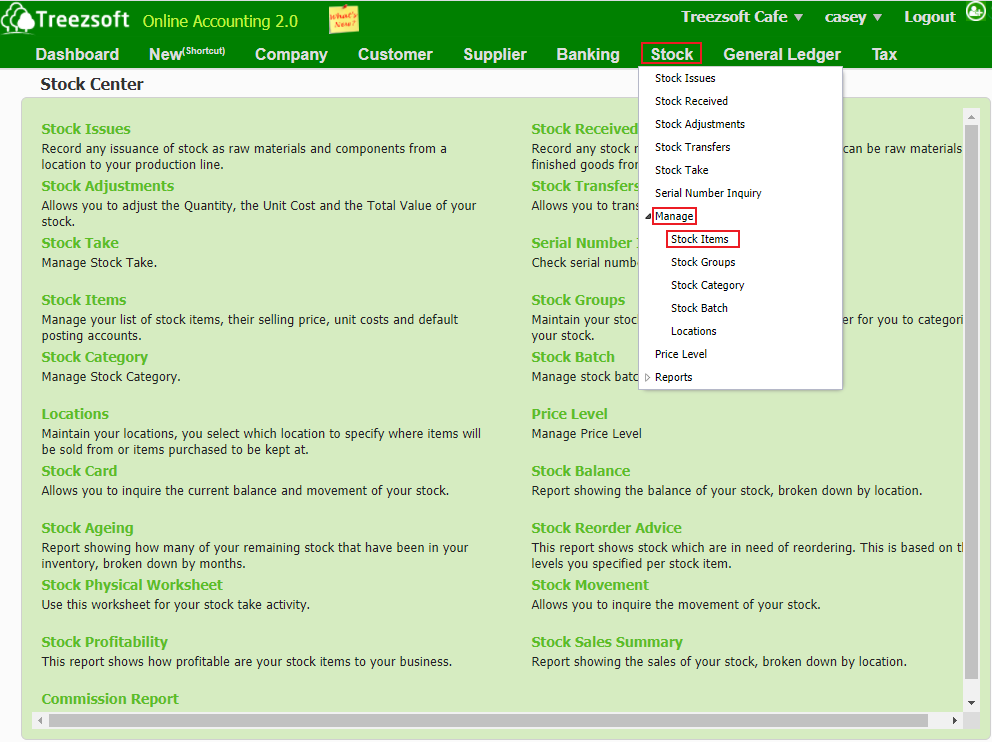
Click on the “Import" button at the bottom left corner.
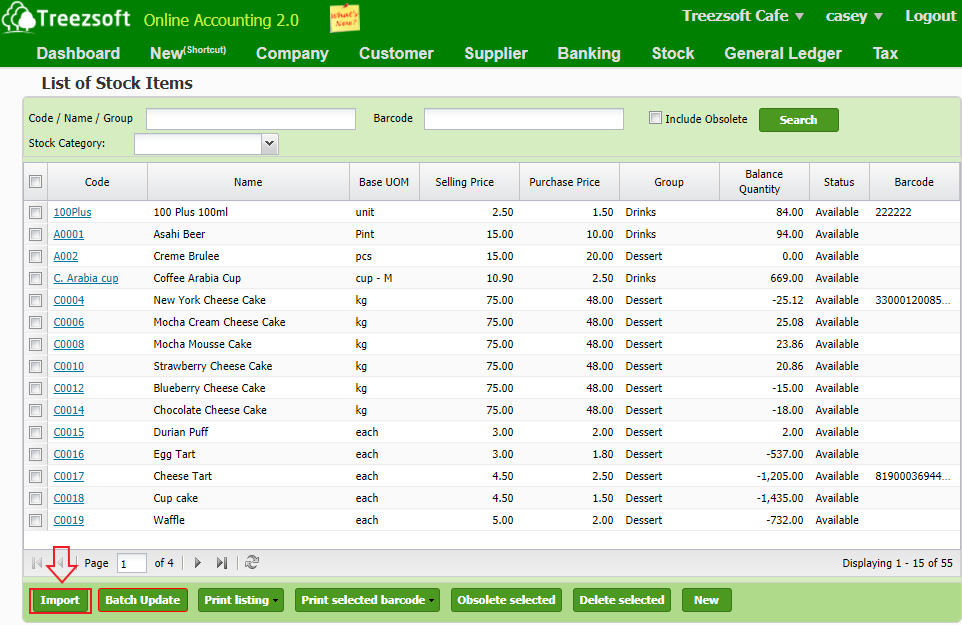
You will see the screen below after you click on the import button.
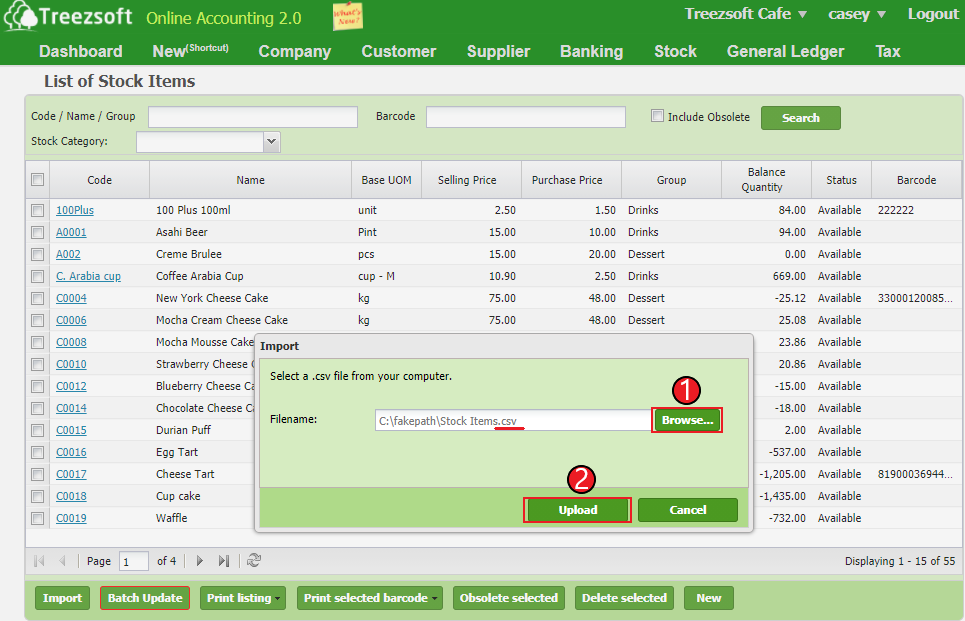
1. Click on "Browse" to select your stock items based on a formatted CSV file provide by TreezSoft.

2. Click on "Upload' to proceed.

*Note: Download the exact formatted CSV file here. 


*Note: Remember to upload formatted CSV files in order to import successfully.

*Note: Make sure the data are entered accurately into the templates. Otherwise, you may fail to import the files.

You can get further information from: https://www.treezsoft.com/support.html 

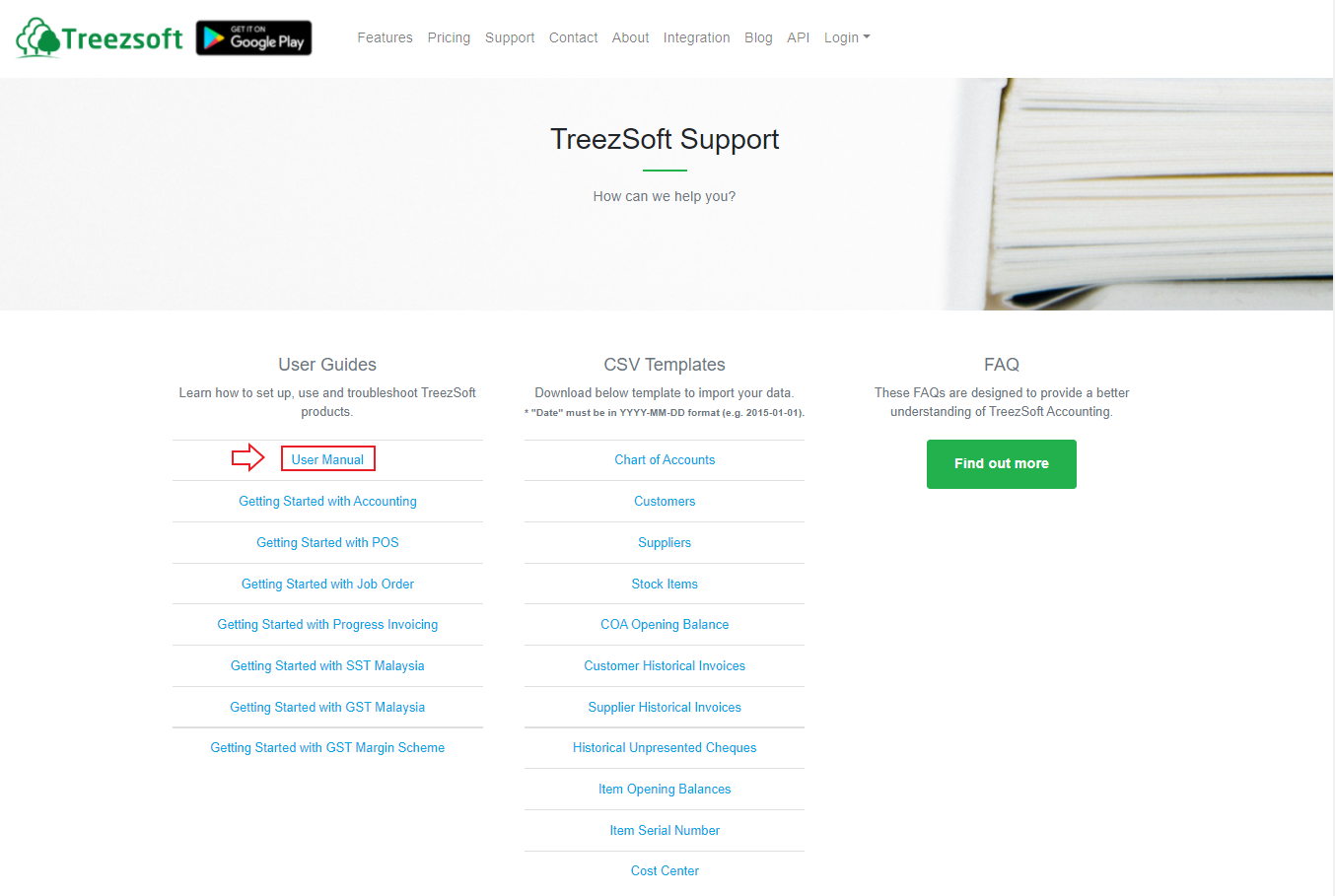
Download the TreezSoft user manual and see the page 121-127 to refer to the table when filling the data. 
*Note: Normally, it is used for batch updates or when clients have a second system for their business operation and would like to update their records into TreezSoft (e.g. payroll)


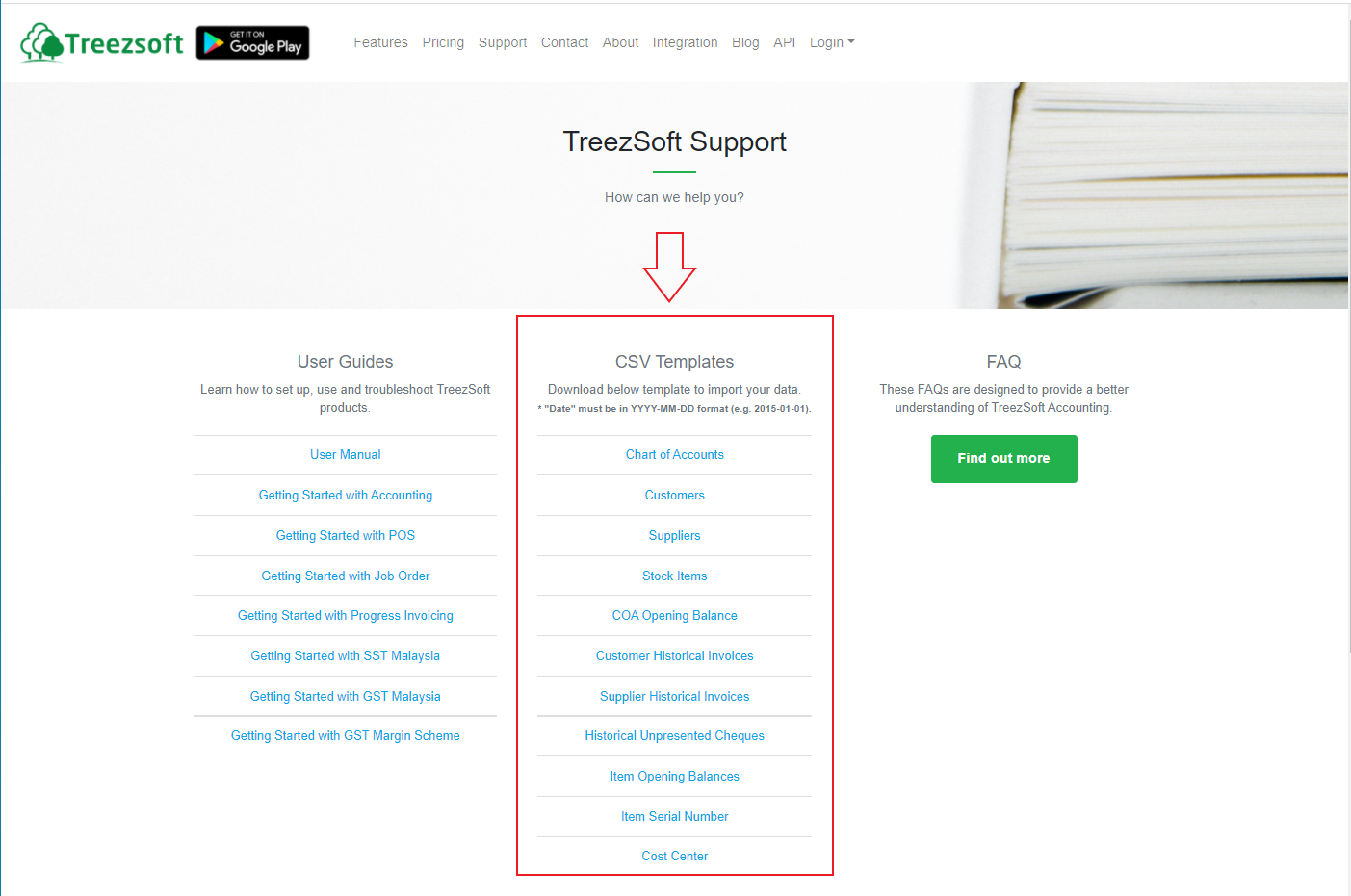
Where to get the CSV templates? 

To import the files, you need to download the import templates from: https://www.treezsoft.com/support.html. You need to fill in the template file based on the format given.
 

You can read more on related topics in TreezSoft blog:

  • How to bill and deliver to a different address under the same customer

  • How to apply price level to customers?

  • How to manage suppliers?

  • How to create or edit supplier credit note?

  • How to manage stock items in Treezsoft?

  • Stock group/item functionality in Treezsoft

You can also read more on Opening balance in TreezSoft by visiting these links: 

  • How to enter my opening balance? - Charts of Account (1/5)

  • How to enter my opening balance? - Historical Invoices (2/5)

  • How to enter my opening balance? - Historical Supplier Invoices (3/5)

  • How to enter my opening balance? - Historical Unpresented Cheques (4/5)

TreezSoft is a cloud accounting software for businesses - regardless of what kind of business you are. It allows you to access your financial information anytime, anywhere. It also allows you to have unlimited users for FREE for your account in TreezSoft. We would like to be long-term partners of your business - to reduce our clients' time spent on accounting mainly by using our automated processes and integration to help increase their company efficiency at a minimum cost and expand your business together with Treezsoft. 

Visit TreezSoft at http://www.treezsoft.com/ to sign up for a 30 days trial account with us now!

You can also email us at [email protected] for more enquiries.


Kata Kunci import customer supplier stock item

Terkini

Mengapa Treezsoft adalah Penyelesaian Perakaunan Awan yang Ideal untuk Negara-Negara yang Mengamalkan IFRS Langkah Mudah untuk Membuat Konsolidasi e-Invois Cara Menetapkan Kod Klasifikasi eInvois Pengeluaran Invois untuk Perniagaan Optik Boost Efficiency & Control with Treezsoft’s Sales Person Setup Feature

Berkaitan

How to apply price level to customers? How to record SST charged by your supplier? Functionality of supplier module in Treezsoft How to register overpayment/underpayment from customers How to import invoice listing? How to create or edit supplier credit note? How to import supplier listing? How to register overpayment/underpayment for suppliers How to create cash purchases documents in Treezsoft? How to import customer listing? How to Easily Keep Track of Payments to Supplier? How to create partial refund for fully paid invoice? (With GST) Import function in TreezSoft - Part 1 Functionality of customer module in Treezsoft How to create or edit payment made in Treezsoft? How to create Purchase Order (P.O.)? How to contra between the sales invoice and purchase invoice? How to import list of historical customer invoices from template in Treezsoft? How to generate Customer's reports and what are they? How to manage customer's details in Treezsoft? How to create refund for fully paid invoice? (With GST) How to create or edit supplier debit note in Treezsoft? How to edit or create customer types? How to manage suppliers?
Tentang Tentang
  • Tentang Kami

Produk Produk
  • E-Invois
  • Ciri-ciri
  • Harga

Sumber Sumber
  • Sokongan
  • Blog
  • API
  • Soalan Lazim

Langgan Kami Langgan Kami
  • Daftar
  • Hubungi Kami

  
 [email protected]
 +6012-787 5077
  • playstore
Logo
� Hak Cipta - TreezSoft.com. Semua hak cipta terpelihara.
Waktu Operasi: Isnin-Jumaat 9am-5pm Terma Penggunaan    |    Privasi  |    Peta Laman

Alert Message

0%

Confirm Message