What is Payment term?
Payment terms is the condition which a sale will be completed. These conditions normally includes specific period that the seller allows the buyer to pay off the amount due. Some may request for cash on delivery, to defer payment for 30 days, or the seller may also demand cash in advance.
Payment terms in TreezSoft
You will just have to setup the types of payment terms you would allow in your sales and then, choose the payment term when you issue an invoice. Then, your payment term will automatically be attached with the invoice issued. Our system will capture its due date automatically as well.
To setup payment terms in Treezsoft: -
Navigate from Company > Payment Terms
You will be brought to the following page
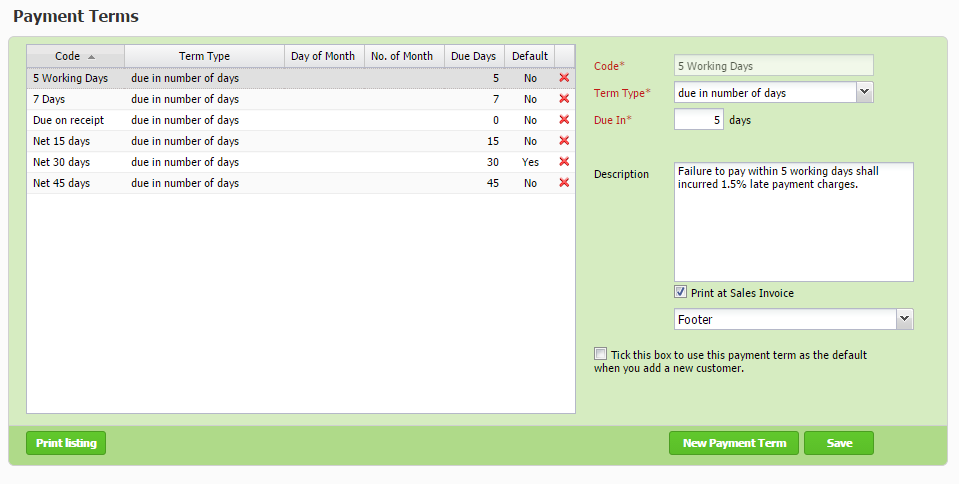
To create new payment term, click on "New Payment Term" button, then fill up the mandotory field as the following (highlighted red as shown above):
Desription is not a mandatory field however if you wish to state the payment term clause, you have to fill up the description and tick the "Print at Sales invoice" box. Once done, click on "Save" button.
The list on the left shows the list of payment terms you are using. Your created payment terms will be displayed here as well. If you would like to delete an unused payment term, click on the 'Red Cross' button for that row.
To create sales invoice that contains with the payment term clause, you have to select the payment terms while you are creating invoice as shown below:
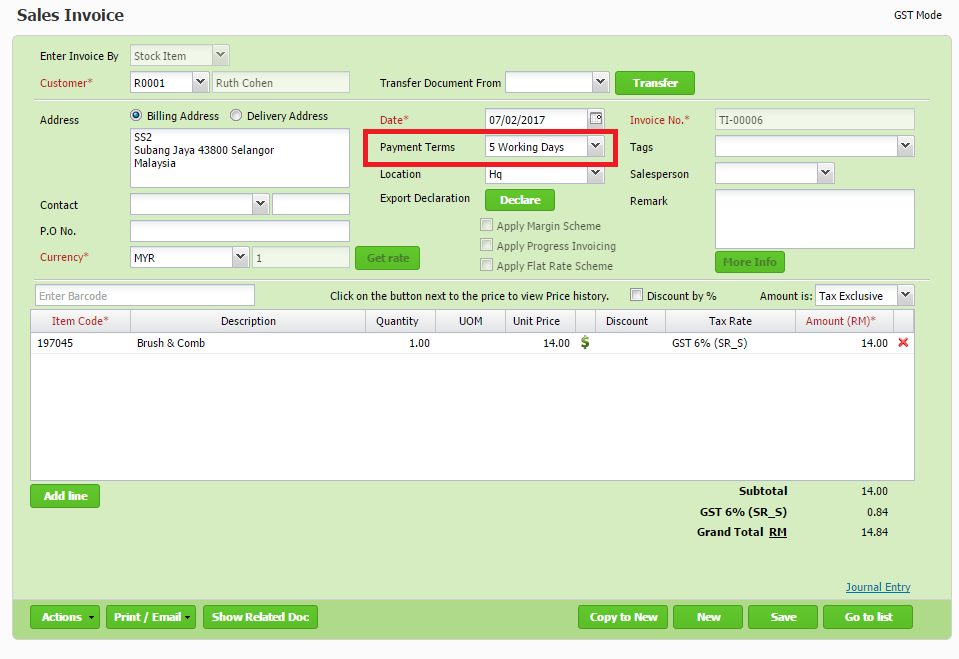
Once done with creating the invoice, click on "Save" button. The invoice shall contain the payment terms clause as the footer of the invoice as per the setup in Payment Terms.
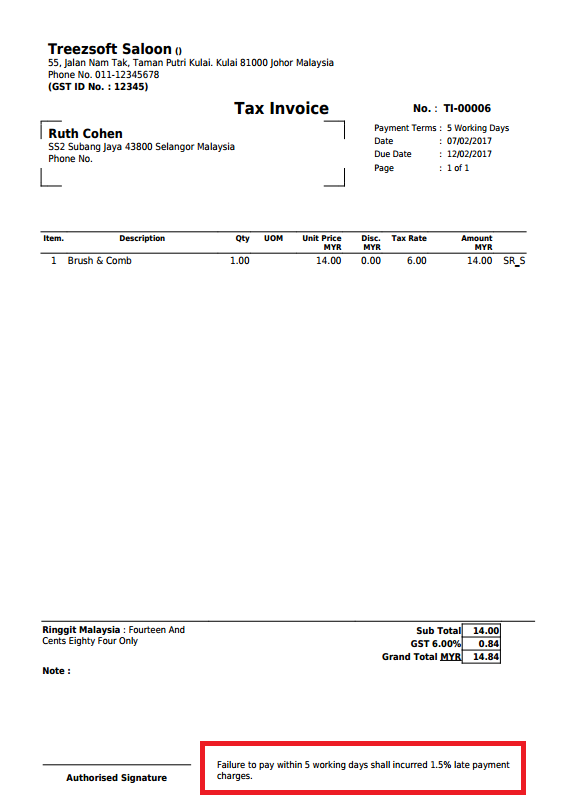
You can read more on invoice in TreezSoft by visiting these links:
TreezSoft is a cloud accounting software for Small and Medium-sized Enterprises (SMEs). It allows you to access your financial information anytime, anywhere. It also allows you to have unlimited users for FREE for your account in TreezSoft. Our aim is to help reduce our clients' time spent on accounting mainly by using our automated processes and integration to help increase their company effeciency at a minimum costs. SMEs can use TreezSoft to keep track their expenses, accounts, daily operation e.g. Point of Sales (namely QPOS) system and etc.
Visit TreezSoft at http://www.treezsoft.com/ to sign up for a 30 days trial account with us!
You can also email us at [email protected] for more enquiries.