What is Barter Exchange?
Bartering is the exchange of products or services with two or more parties without using money. In accounting, you will need to record barter exchange different from the usual sales and expenses. For example, in barter exchange, when you obtain products or services from a business, your barter exchange account is debited; when you provide your products or services to the business, your barter exchange account will be credited.
All the goods are exchange based on a value and you must keep a record all of these barter transactions, including any expenses your business have related to these transactions. This is so that you can keep track of your business value.
However, keeping track of barter transactions may get complicated if you are bartering with several businesses. This is why a barter exchange account is needed to accurately record your stock value and sales.
Record Barter, Exchange and Trade in transaction
1. Create Bartering Exchange Account
First, you have to set up a bartering exchange account in your company COA.
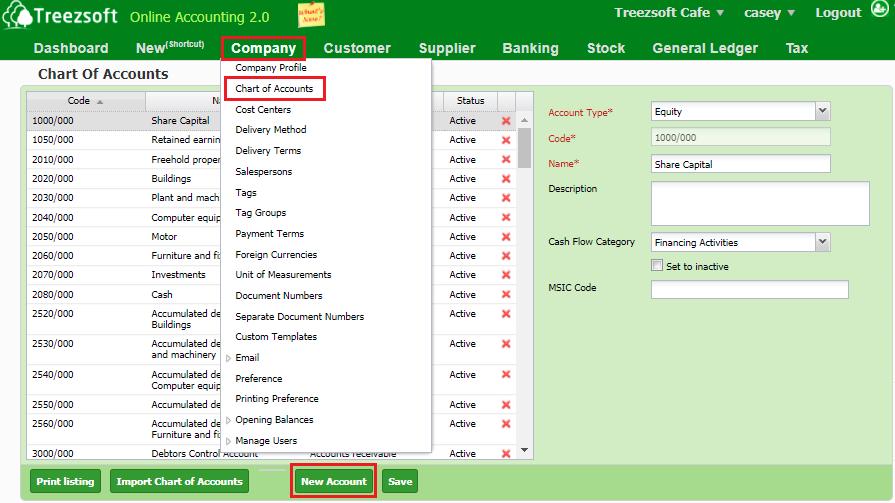
To set up the bartering exchange account, navigate through: Company > Chart of Accounts > New Account.
Choose Cash and Bank as the Account Type and Name it as Barter Exchange Account. Then, enter your cash and bank details and click Save.
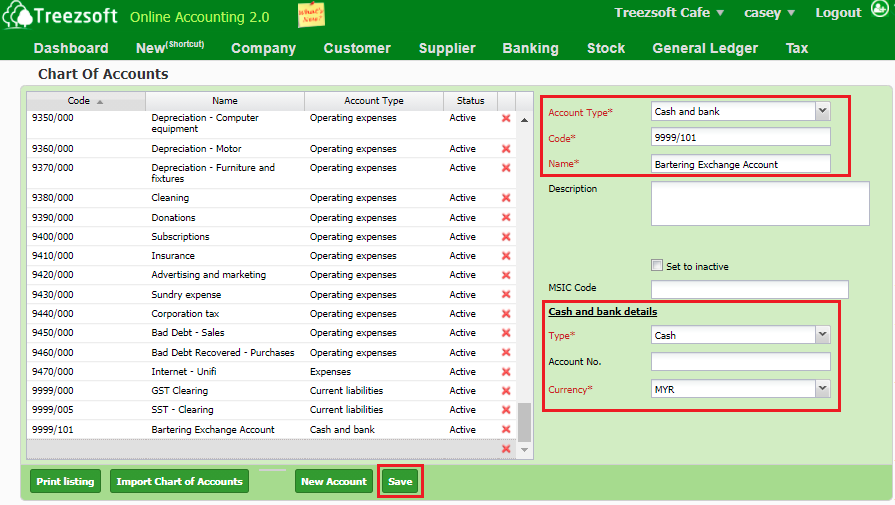
Now your Barter Exchange Account is all set up.
To record your business transaction in Barter Exchange Account, you will then need to create cash sales (for goods given) and cash purchase (for goods received).
2. Cash Sales
To record stock that will be exchanged out from your company, you'll need to issue cash sales.
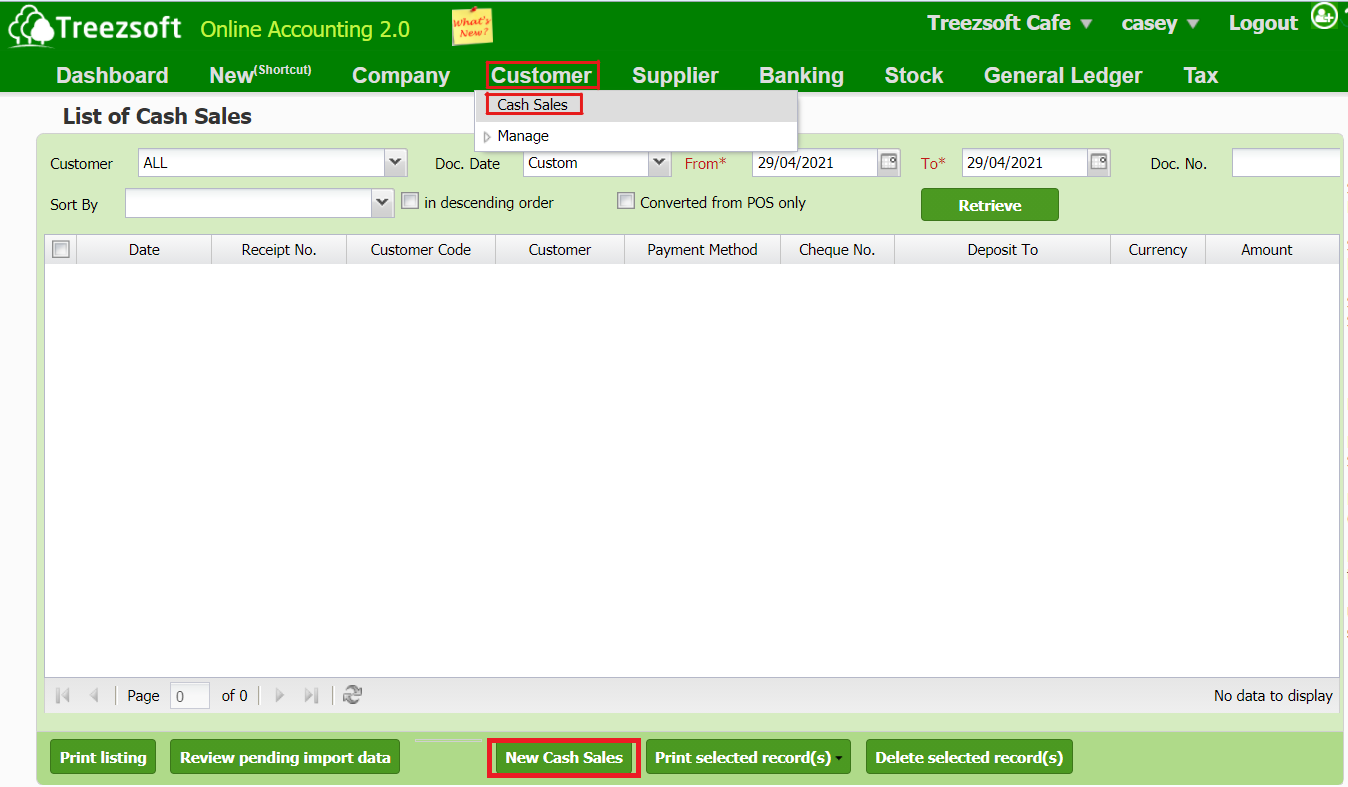
Navigate through: Customer > Cash Sales. Click on "New Cash Sales" to record a new cash sale.
Below is the New Cash Sales screen:
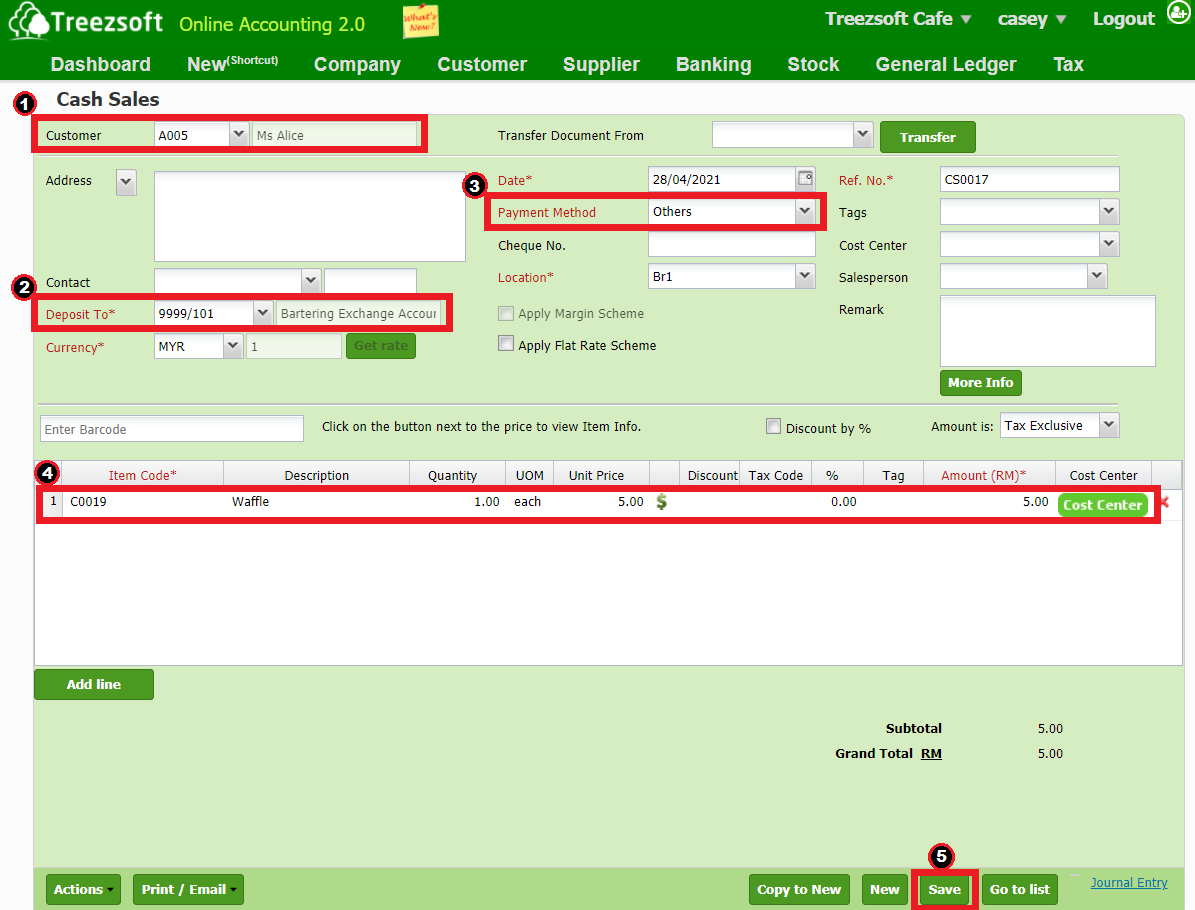
- Enter received payment from the customer.
- Choose to deposit into Barter Exchange Account.
- Enter Others as your payment method.
- Enter the item that you wish to use as payment of exchange.
- Save the record.
3. Cash Purchase
Then, create cash purchase to record stock that you will be obtaining.
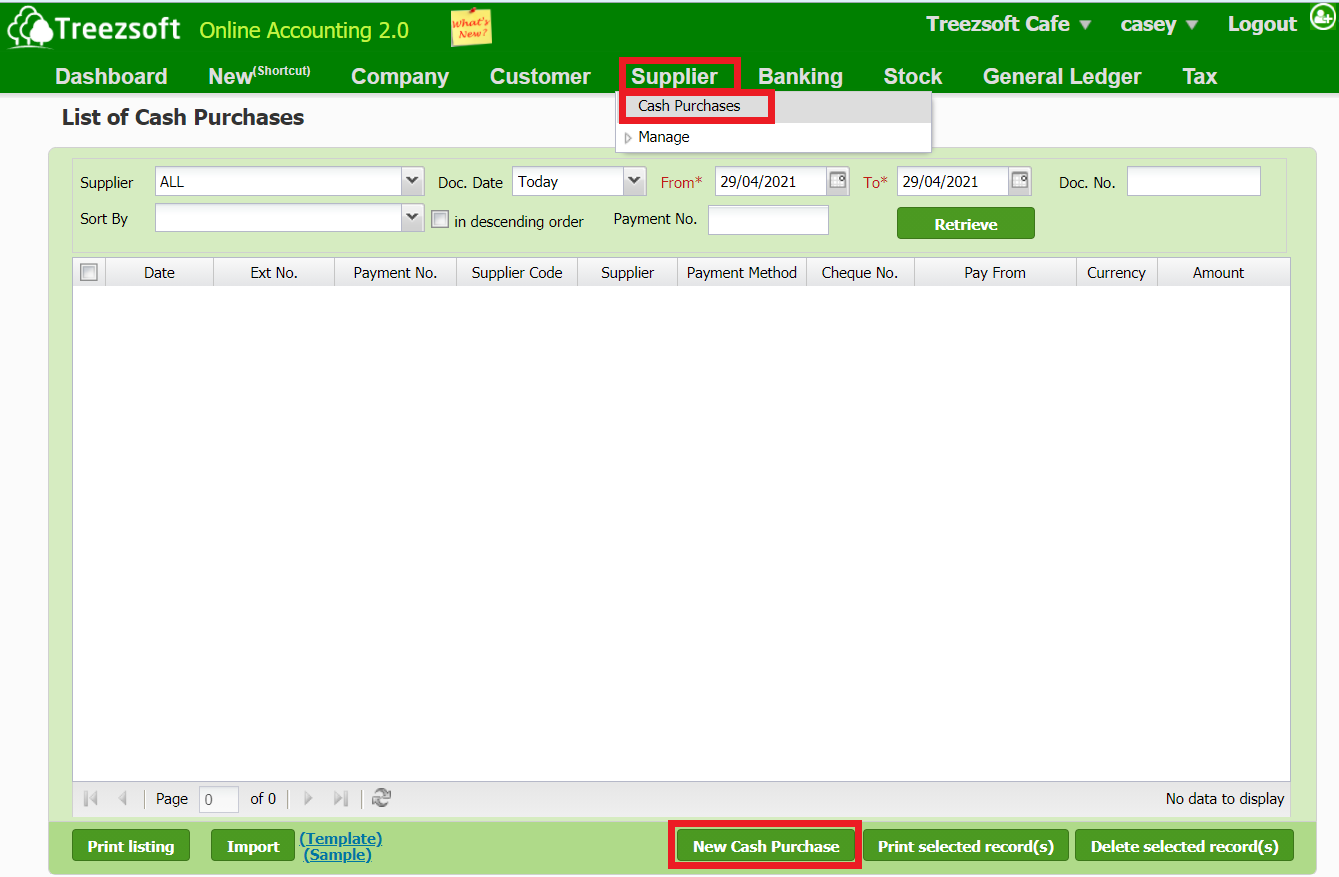
To create cash purchases, navigate through: Supplier > Cash Purchases.
Click on “New Cash Purchase” to record a cash purchase.
Below is the New Cash Purchase screen:
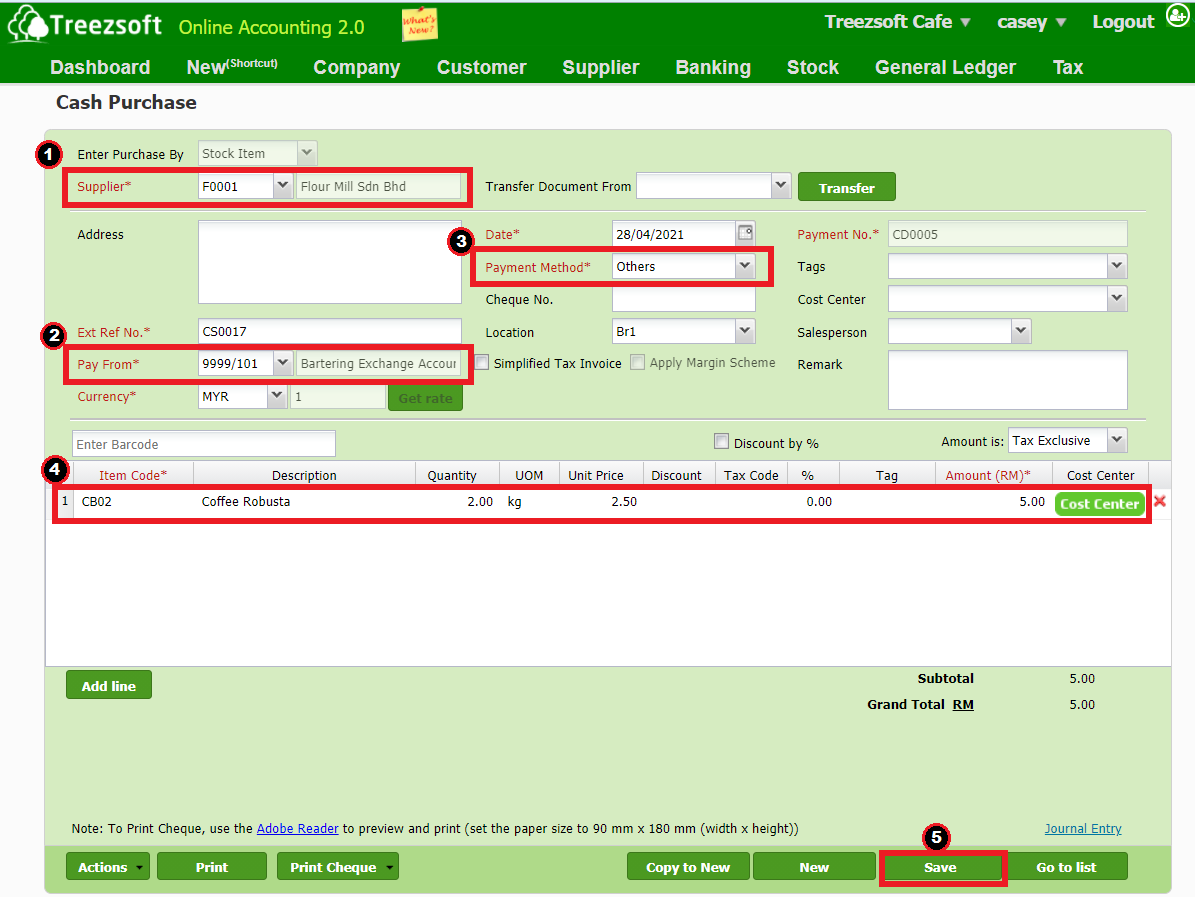
- Enter the supplier that you wish to exchange the goods with.
- Choose to pay from Barter Exchange Account.
- Choose others as your payment method.
- Enter the item that you wish to receive as an exchange.
- Save the record.
Summary
You'll need to:
- Create a cash & bank account (e.g. "Barter Exchange Account". this account act as a clearing account)
- Create cash sale to make payment and credit to "Barter Exchange Account".
- Create cash purchase to receive payment and debit to "Barter Exchange Account" above.
- Both invoices would be fully paid, no amount remains in "Barter Exchange Account".
You can read more on transactions in TreezSoft by visiting these links:
TreezSoft is a cloud accounting software for Small and Medium-sized Enterprises (SMEs). It allows you to access your financial information anytime, anywhere. It also allows you to have unlimited users for FREE for your account in TreezSoft. Our aim is to help reduce our clients' time spent on accounting mainly by using our automated processes and integration to help increase their company efficiency at a minimum cost. SMEs can use TreezSoft to keep track of their expenses, accounts, daily operation e.g. Point of Sales (namely QPOS) system and etc.
Visit TreezSoft at http://www.treezsoft.com/ to sign up for a 30 days trial account with us!
You can also email us at [email protected] for more enquiries.