Sales commission
Sales commission is a reward that a salesperson gets based on their effort and the results of their services in facilitating or completing a sale. Sales commissions are used by employers to motivate the sales team to focus on sales success. Commission calculation depends on the agreement between the employer and salesperson. The rate can be based on a percentage of total sales or a fixed amount based on a quantity or item sold.
In TreezSoft, you can easily generate reports to calculate commissions for your salespersons. You just need to follow the 3 simple steps below to generate the reports.
Step 1: Create a salesperson
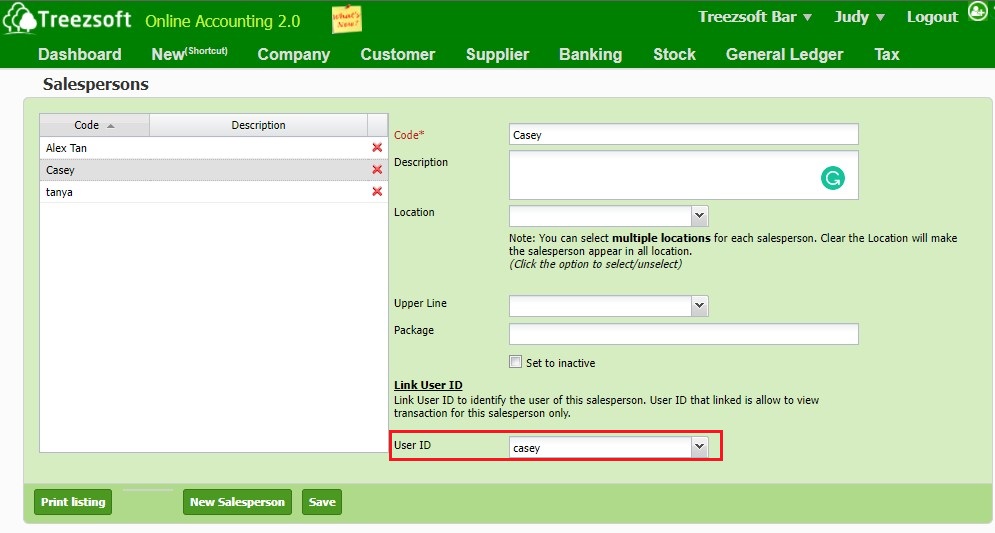
To start calculating sales commission, you will need to set up a salesperson and link the respective user ID.
You can also refer to this blog post to learn more about how to manage your salesperson.
Step 2: Link all transactions (e.g. invoice and receive payments) to the respective salesperson.
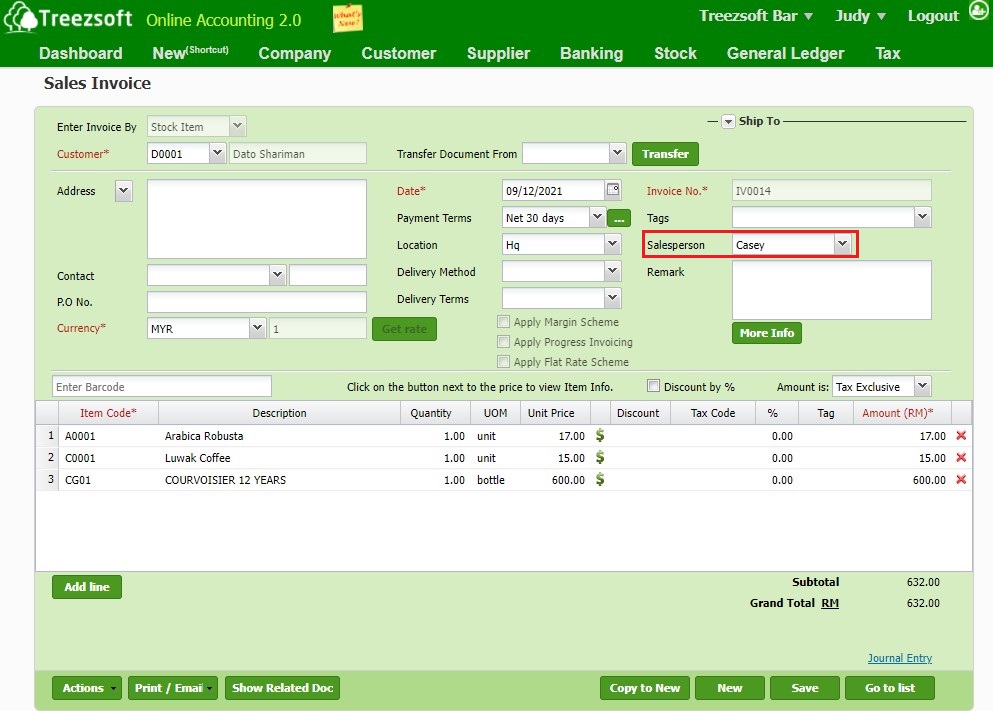
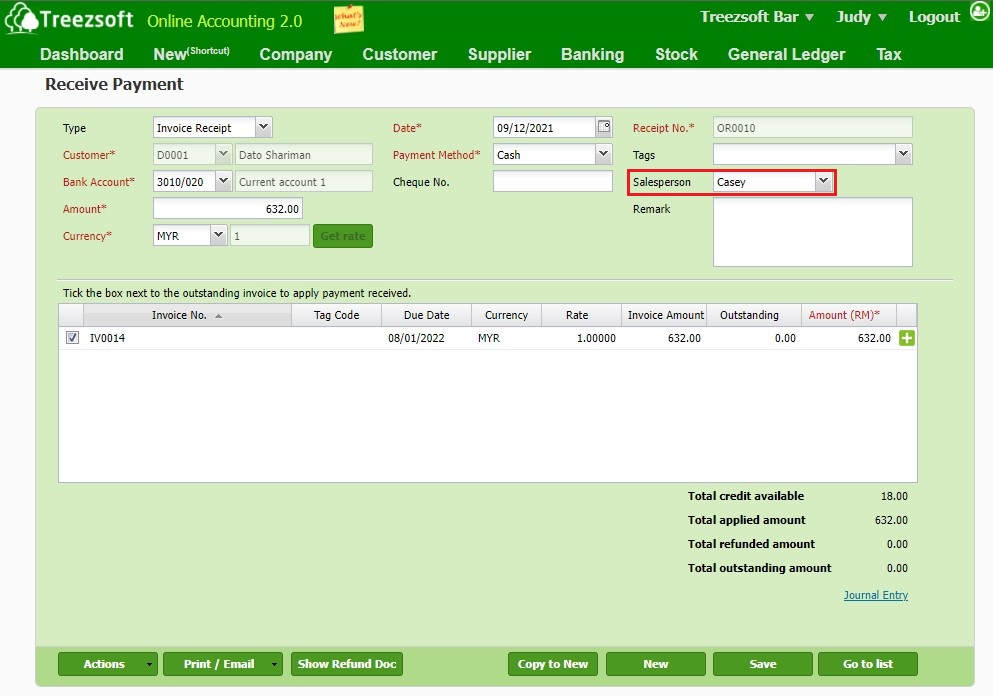
Next, when raising a sales invoice or receive payments, make sure they are linked to the correct salesperson for accurate calculation.
Step 3: Run reports
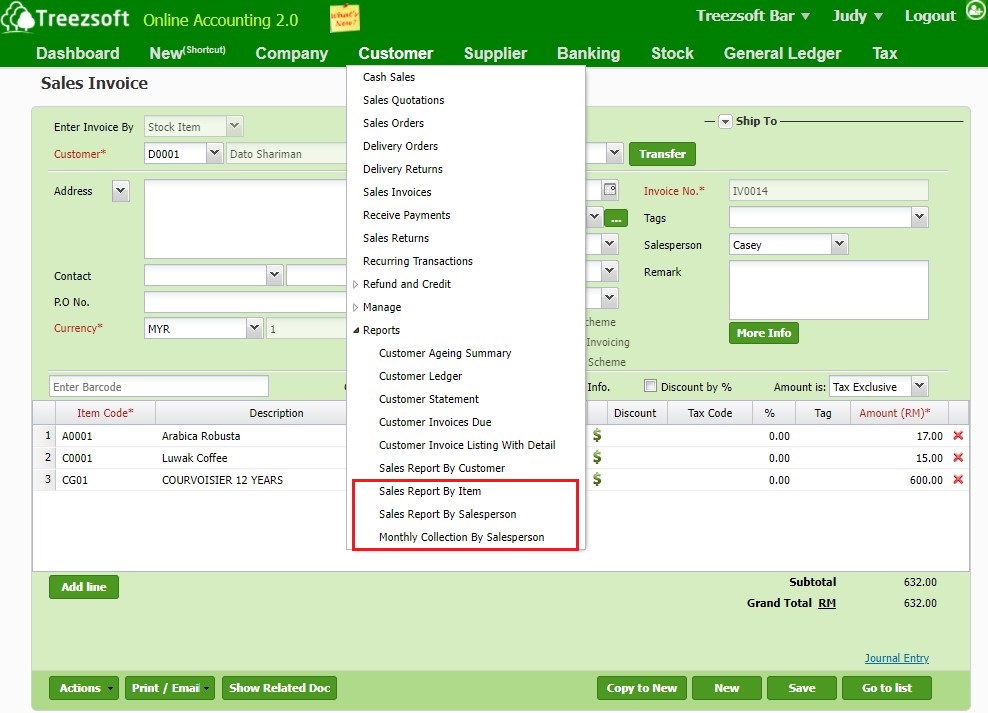
After completing steps 1 and 2, you can start generating reports you need to calculate your salesperson's commission.
a. Sales Report By Item
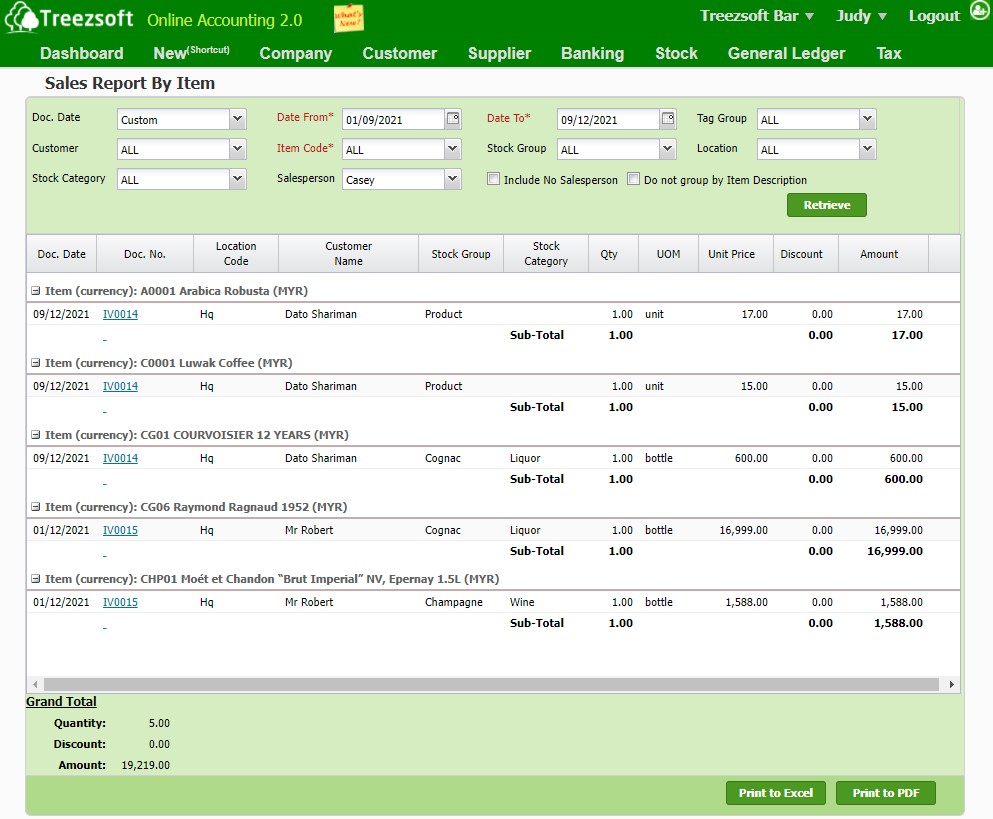
When filtered for each salesperson, the sales report by item lists out the total of each item sold by the salesperson.
b. Sales Report By Salesperson
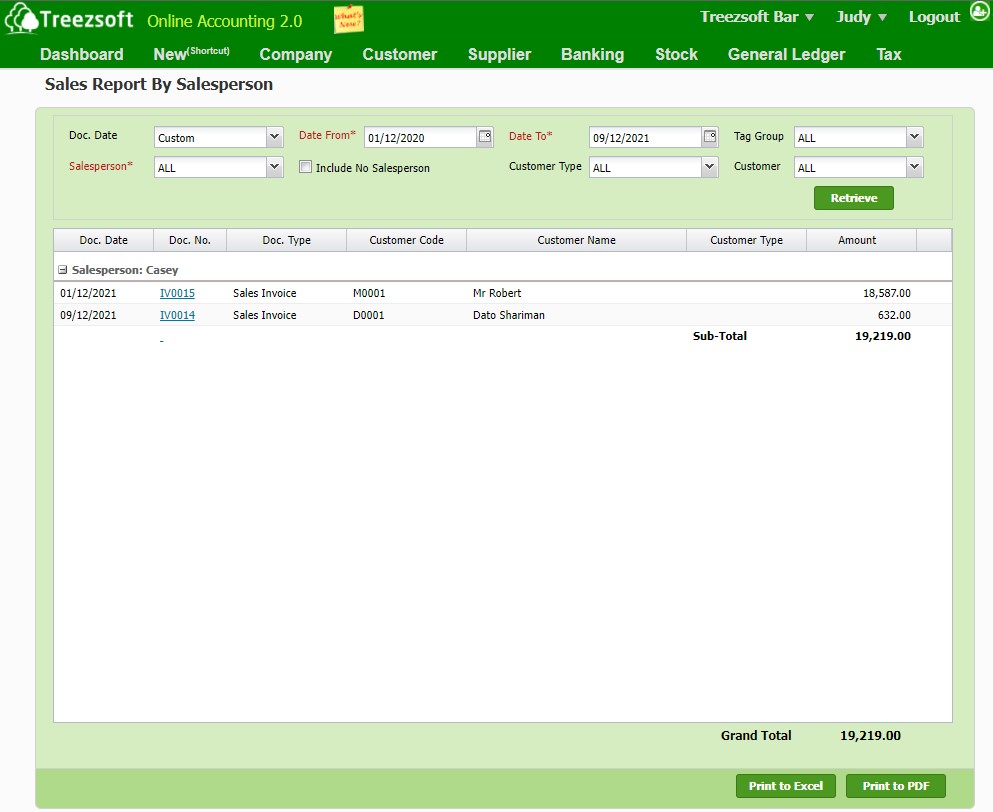
The sales report by salesperson shows you invoices that were created under each salesperson.
c. Monthly Collection By Salesperson
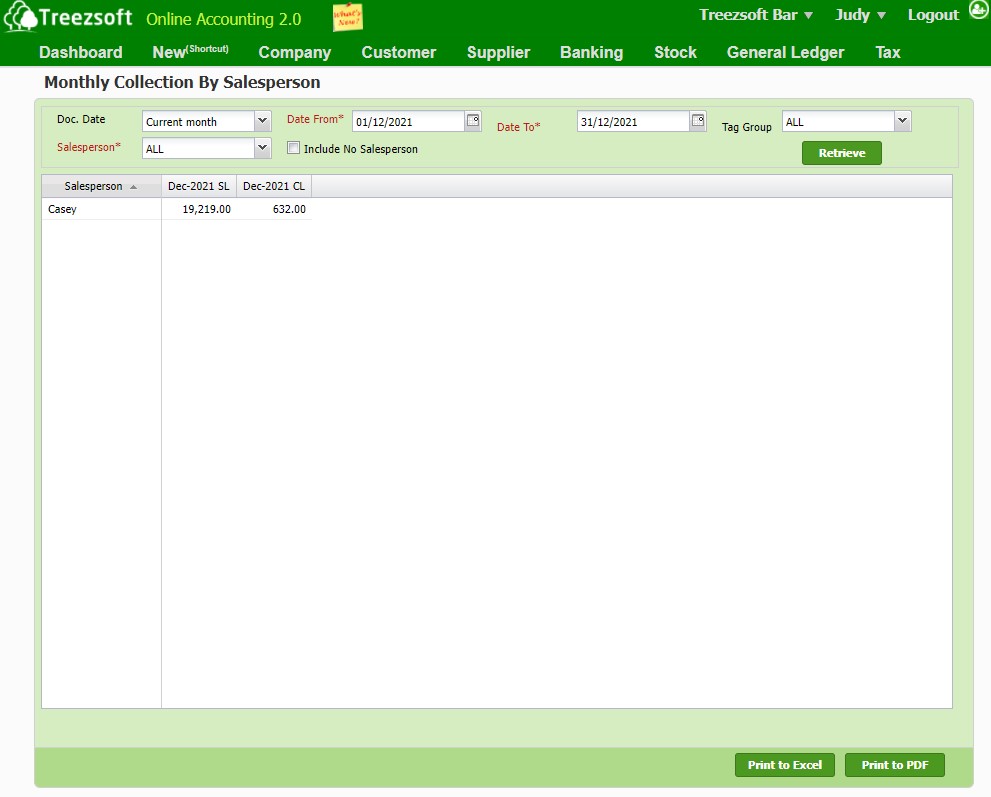
The monthly collection by salesperson shows the total amount that the salesperson has successfully collected within the date range selected.
d. Commission Report
You can run the commission report calculated based on each item by going to Stock > Report > Commission Report.
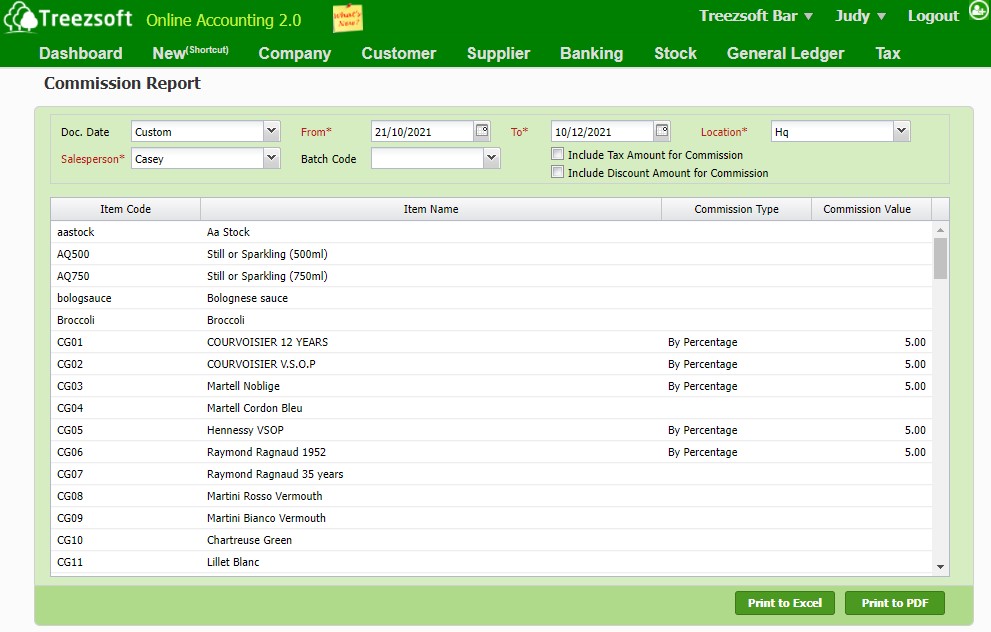
As such, you can conveniently generate the reports you need and pay your salesperson's commissions timely and accurately.
You can read more on related topics in the TreezSoft blog:
TreezSoft is a cloud accounting software for businesses - regardless of what kind of business you are. It allows you to access your financial information anytime, anywhere. It also allows you to have unlimited users for FREE for your account in TreezSoft. We would like to be long-term partners of your business - to reduce our clients' time spent on accounting mainly by using our automated processes and integration to help increase their company efficiency at minimum costs and expand your business together with Treezsoft.
Visit TreezSoft at http://www.treezsoft.com/ to sign up for a 30 days trial account with us now!
You can also email us at [email protected] for more inquiries.