Delivery return is a form that records the specific information of the product return from your customers after purchase. For example, customer A has bought a New York Cheese Cake from Treezsoft Cafe, and the cake has been damaged during the delivery. Customer A wishes to return the cake to Treezsoft Cafe. Therefore, Treezsoft Cafe will need to record down the delivery return. In this blog, we will guide you step by step on how to record delivery returns by using Treezsoft Cloud Accounting Software.
How to record delivery return in Treezsoft
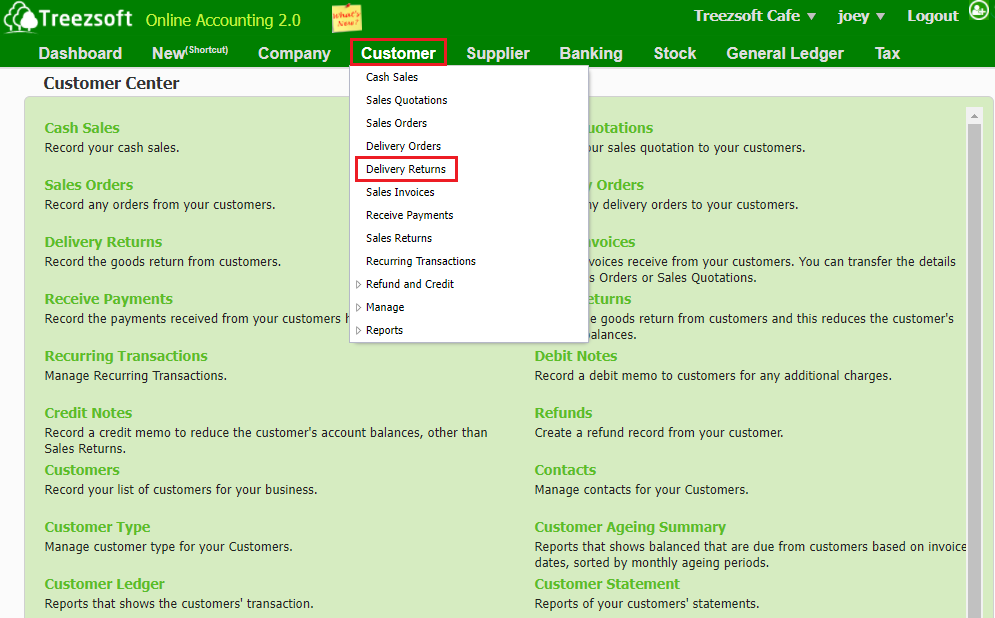
Step 1: Go to Customer > Delivery Returns
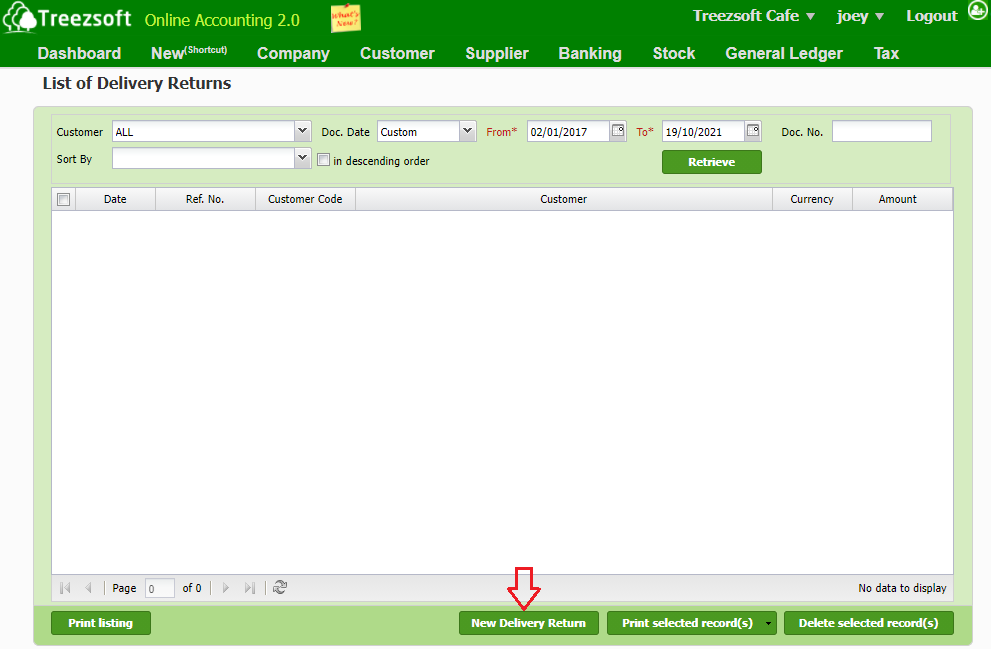
Step 2: Click on the "New Delivery Return"
Step 3: Fill in the details
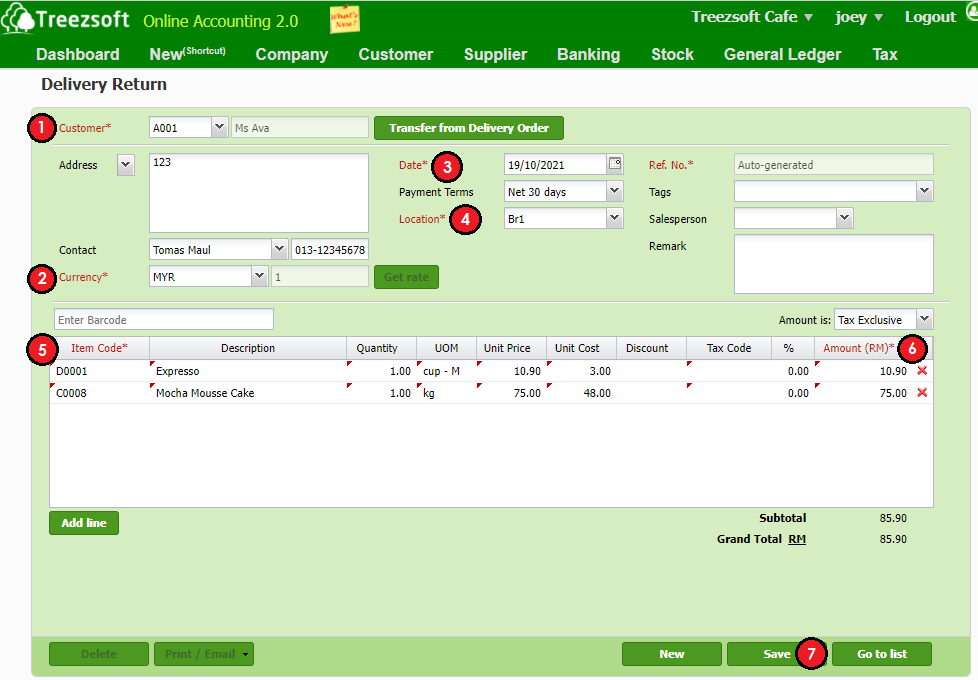
- Select the respective customer
- Select the currency incurred
- Select the exact date
- Select the location
- Select the item code
- Key in the amount included
- Once done, click on "save" to save the record
You can read more on related topics in the TreezSoft blog:
TreezSoft is a cloud accounting software for Small and Medium-sized Enterprises (SMEs). It allows you to access your financial information anytime, anywhere. It also allows you to have unlimited users for FREE for your account in TreezSoft. Our aim is to help reduce our clients' time spent on accounting mainly by using our automated processes and integration to help increase their company efficiency at minimum costs. SMEs can use TreezSoft to keep track of their expenses, accounts, daily operation e.g. Point of Sales (namely QPOS) system and etc.
Visit TreezSoft at http://www.treezsoft.com/ to sign up for a 30 days trial account with us!
You can also email us at [email protected] for more inquiries.