Question1:
My accounting period starts from 1st January 2016.But historical Supplier invoice dated year 2015. It contains tax code (NR/TX).
I've received Supplier Credit Note early 2016. When I try to record the CN under Supplier Credit Note, the system pop-up an error message stating that "Tax Rate(S) xxxx not relevant to any selected invoice item". What should I do?
Answer:
When apply credit note, please make sure to select the same tax code as the targeted supplier invoice. If the
supplier invoice have no tax code, then use OP for the CN.
Question2:
System does not allow me to save credit note to offset double billing to an owner. It keeps on show error stating: Tax Rate (s) GST 0% EP not relevant to any selected item
Answer:
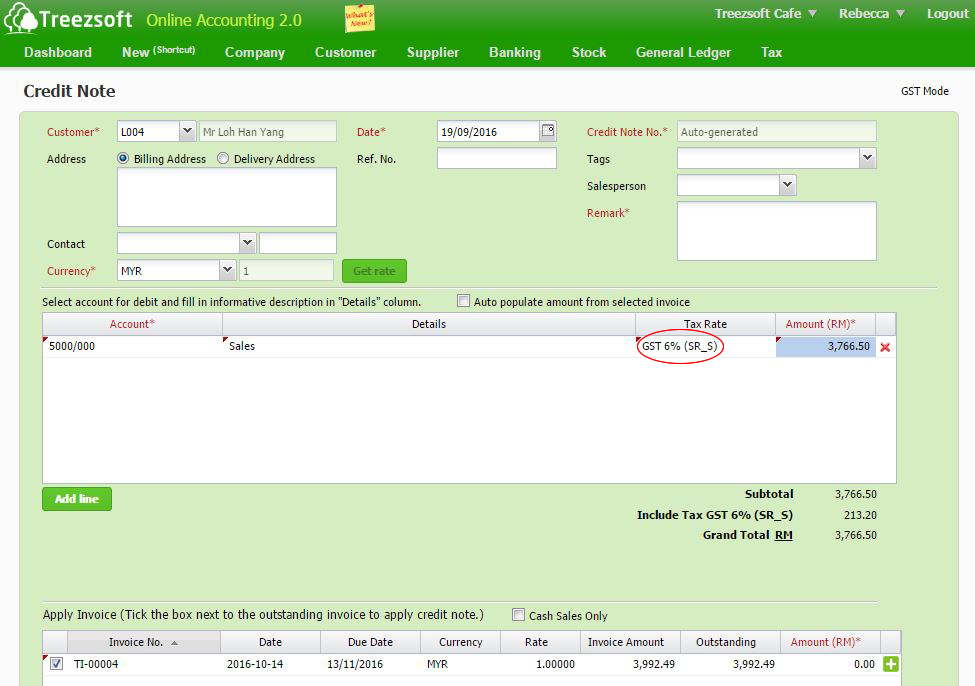
When apply credit note, the Tax rate/code selected for the credit note must be the same with invoice.
For example:
Invoice (Tax code/rate) = SR_S,
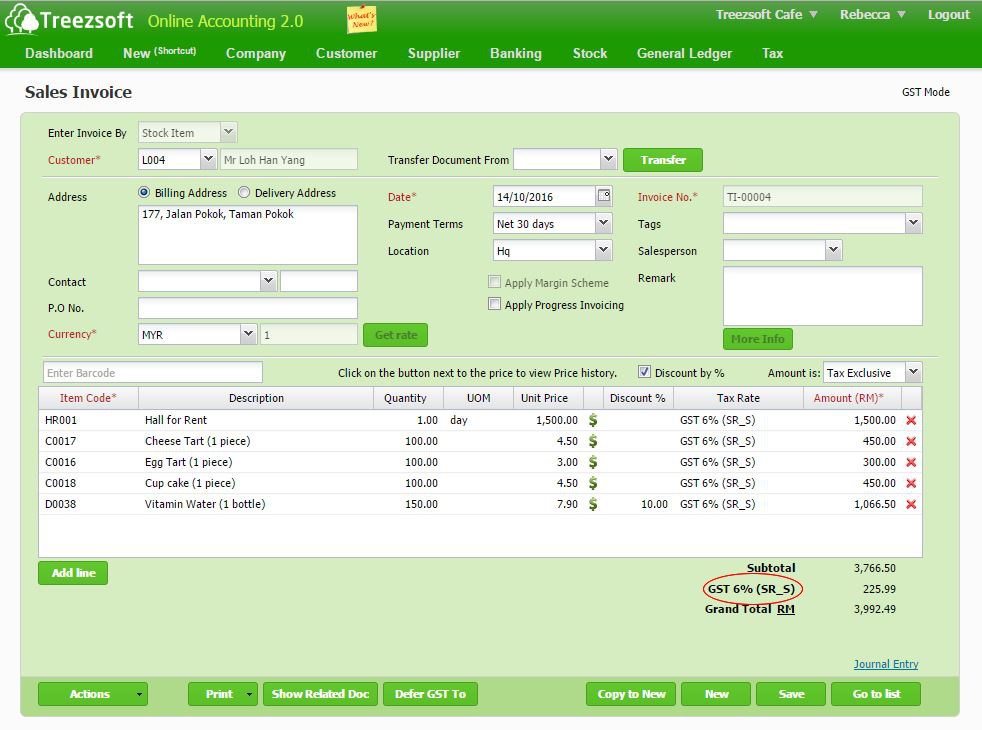
then credit note (Tax code/rate) shall be SR_S as well.
You can continue reading on credit notes in TreezSoft blogs through these links:
TreezSoft is a cloud accounting software for Small and Medium-sized Enterprises (SMEs). It allows you to access your financial information anytime, anywhere. It also allows you to have unlimited users for FREE for your account in TreezSoft. Our aim is to help reduce our clients' time spent on accounting mainly by using our automated processes and integration to help increase their company effeciency at a minimum costs. SMEs can use TreezSoft to keep track their expenses, accounts, daily operation e.g. Point of Sales (namely QPOS) system and etc.
Visit TreezSoft at http://www.treezsoft.com/ to sign up for a 30 days trial account with us!
You can also email us at [email protected] for more enquiries.