Donations are the lifeblood of many organizations, and accurately recording donations received is essential for maintaining financial transparency and demonstrating the impact of contributions. With TreezSoft Cloud Accounting, you have a modern and efficient way to track and manage donations received. This guide will walk you through the steps, making sure your financial records are accurate and accessible. Let's explore the simplicity of recording donations with TreezSoft cloud accounting!
Recording Cash donations received
Step 1
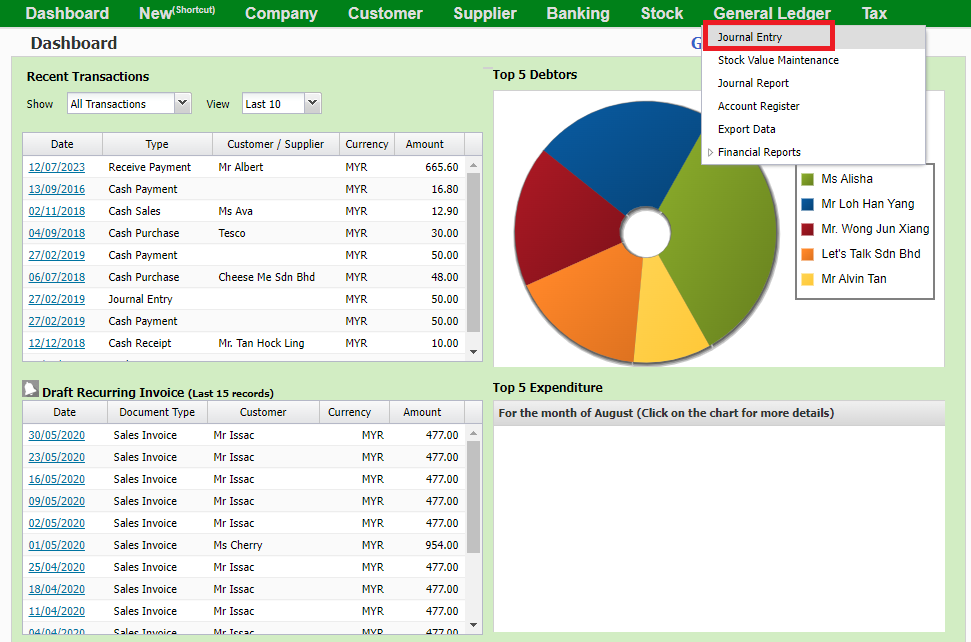
Go to General Ledger > Journal Entry
Step 2
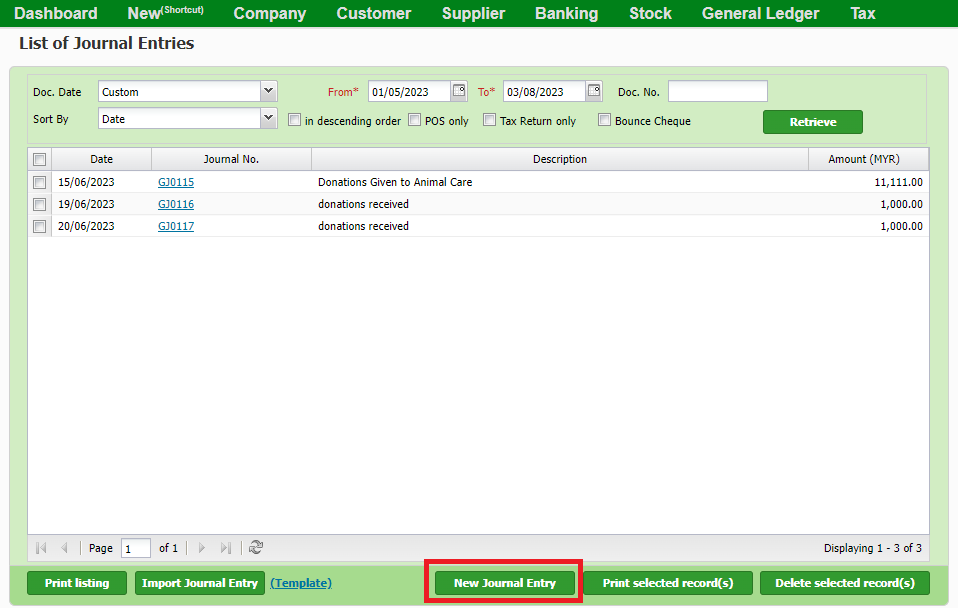
Create a New Journal Entry
Step 3
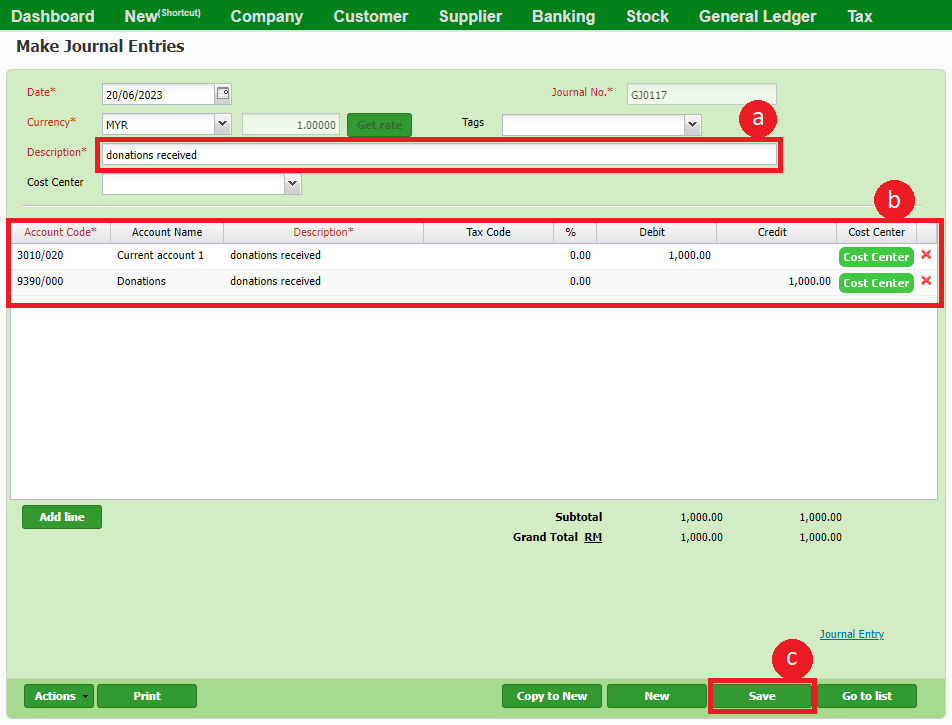
a. Fill in the descriptions
b. Fill in account code and amount.
c. Click Save
Recording donations received on inventory or products
Step 1
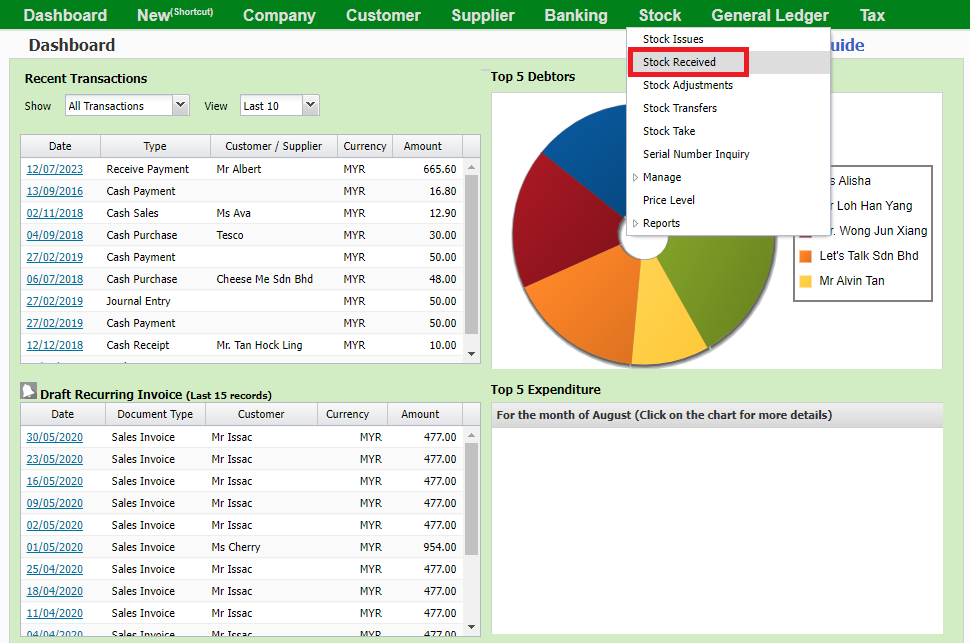
Go to Stock > Stock Received
Step 2
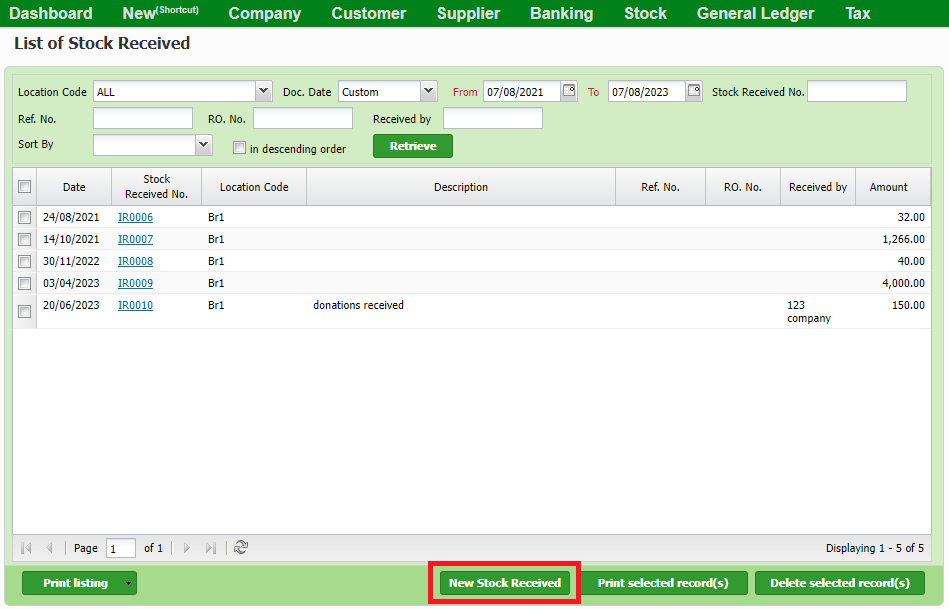
Click New stock received
Step 3
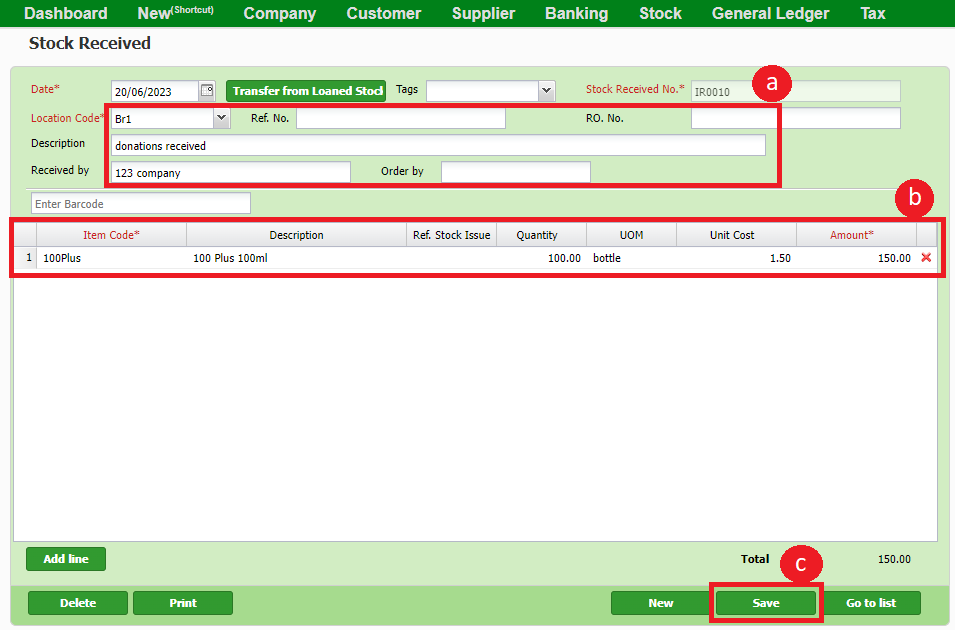
a. Fill in the donations received descriptions, including the donor's name, location received, and other details for record purposes.
b. Fill in the item code, quantity, and the amount equivalent to the item donated
c. Click save
In conclusion, TreezSoft cloud accounting simplifies donation recording, ensuring your financial records are accurate and accessible. Embrace this modern solution to efficiently manage contributions and focus on your organization's mission. With TreezSoft, you're equipped to make a lasting impact while keeping your financials in order. Happy recording and onward to success!
You can also visit the links below to read more on related topics in TreezSoft:
TreezSoft is a cloud accounting software for Small and Medium-sized Enterprises (SMEs). It allows you to access your financial information anytime, anywhere. It also allows you to have unlimited users for FREE for your account in TreezSoft. Our aim is to help reduce our clients' time spent on accounting mainly by using our automated processes and integration to help increase their company efficiency at a minimum cost. SMEs can use TreezSoft to keep track of their expenses, accounts, daily operation e.g. Point of Sales (namely QPOS) system and etc.
Visit TreezSoft at http://www.treezsoft.com/ to sign up for a 30 days trial account with us!
You can also email us at [email protected] for more inquiries.