Logo
  • Ciri-ciri
  • Harga
  • Sokongan
  • Hubungi
  • Blog
  • E-Invois
  • Tentang
  • Integrasi
  • API
  • Tentang Integrasi API
  • Log Masuk
    Perakaunan
    Poin Jualan (POS) Pesanan Kerja
Warning! Payment is due for the implementation of this System. Please refer to the Product Detail page.
Warning!

Why is deleting/void/cancelling of records are not allowed in GST?

Diterbitkan Oleh  jess  pada  Apr 02 2018 17:40        3004


Why is it not allowed (especially when you are GST registered)? 

This is because Section 36 (1) of the GST Act 2014 stated that all taxable person and certain non-taxable person are to keep full and true records of all transactions which affect or may affect his responsibility to tax. It is against the law to delete/void/cancel any record. 

Besides, according to Section 51 of the GST guide on Tax Invoice and Records Keeping 2014, keeping a full record is to enable GST auditors to establish the nature, time and value of all taxable supplies and importation of goods and services. Under the same section, it is also stated that full records and information is needed to help GST auditors in reconciling accounting records with the GST.

Hence, all serial numbers in all records should not be skipped or missed in GST related records. 

For those who are not GST registered, there is no law to restrict the act of deleting invoices. But keeping the same practice is strongly advicable as it helps in making sure that your account is accurate, balanced and neat. 
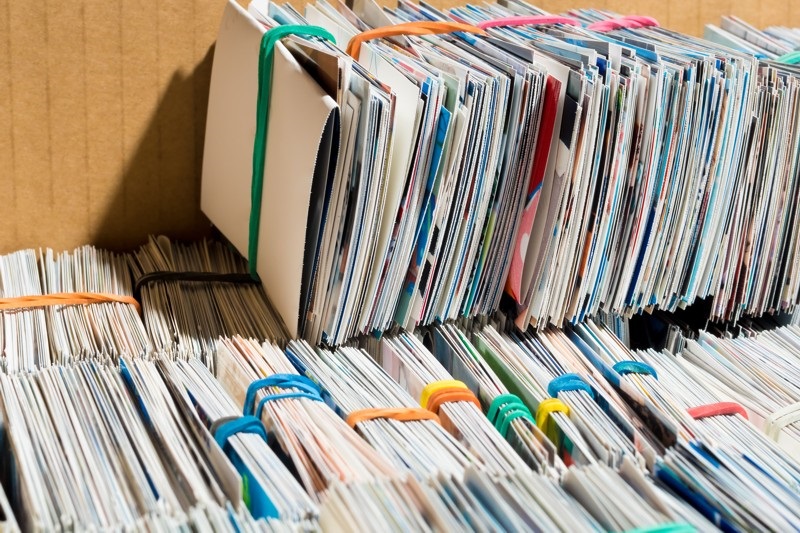

image taken from Rawlinsons Connect, 2017.

Penalty involved

According to the laws in Malaysia, GST Act 2014 Section 36 (7), anyone who contravenes did not keep a full record of the document shall be liable to:-
   - a fine of not more than RM50,000 or
   - to imprisonment for a term not exceeding 3 years or 
   - both. 

Accounting software and GST

TreezSoft is a GST certified accounting software. To comply to the rules and regulations in GST, TreezSoft does not allow you to delete/void/cancel any document that is created under GST mode. 

Accounting software like TreezSoft is designed to simplify GST related procedures (e.g. Tax return, Relief claims, etc) and make sure records in your accounts are accurate. It also makes it easier to stay on top of your accounts by giving you the tools to enter income and expenses and track changes in your cash flow. 


Below is a link to the Acts and Guide mention in this post:
- the GST Act 2014
- the GST guide on Tax Invoice and Records Keeping 2014

Continue reading for GST: 

  • How to generate and download the GST Audit File (GAF)? 

  • How to record payment or refund claim for GST ?

  • How to generate and submit GST Return?

  • How to register or activate the GST function in Treezsoft?

  • How to issue Bad Debt Relief for Sales?

TreezSoft is a cloud accounting software, it allows you to access your financial information anytime, anywhere. It also allows you to create unlimited users for FREE for your account in TreezSoft.  

Visit TreezSoft at http://www.treezsoft.com/ to sign up for a 30 days trial account with us! 

You can also email us at [email protected] for more enquiries.


Kata Kunci gst why cannot delete invoice not allowed cancel

Terkini

Mengapa Treezsoft adalah Penyelesaian Perakaunan Awan yang Ideal untuk Negara-Negara yang Mengamalkan IFRS Langkah Mudah untuk Membuat Konsolidasi e-Invois Cara Menetapkan Kod Klasifikasi eInvois Pengeluaran Invois untuk Perniagaan Optik Boost Efficiency & Control with Treezsoft’s Sales Person Setup Feature

Berkaitan

What are the things I need to consider for back date transactions? What is MSIC code? Guide to financial year end closing How to generate and download the GST Audit File (GAF)? How to issue Bad Debt Recover for purchase? How to enter transactions that is deferred in GST declaration? Treezsoft Updates - GST Rate Update How to record payment made or received for GST? What is happening to taxes in Malaysia? - GST vs SST Changing from GST 6% to GST 0% How to issue Bad Debt Recovery for Sales? How to Insert Tourism tax on top of GST? How to register, activate and verify the GST function in Treezsoft? How to generate and submit GST Return? How to create Credit Note for Cash Sales? How to issue Bad Debt Relief for Purchase? How to record payment or refund claim for GST? How to print Lampiran 2 in Treezsoft? How to set up GST in Treezsoft? How to record Gift Given? How to issue Bad Debt Relief for Sales? GST tax inclusive calculation for Credit Note How to edit or delete your payments? How to create advance payment or deposit (with GST) in TreezSoft? How to view GST Related Account Code and GST code in Treezsoft? How to declare GST for delivery order (D.O) which tax invoice is not issued within 21 days from the delivery order date?
Tentang Tentang
  • Tentang Kami

Produk Produk
  • E-Invois
  • Ciri-ciri
  • Harga

Sumber Sumber
  • Sokongan
  • Blog
  • API
  • Soalan Lazim

Langgan Kami Langgan Kami
  • Daftar
  • Hubungi Kami

  
 [email protected]
 +6012-787 5077
  • playstore
Logo
� Hak Cipta - TreezSoft.com. Semua hak cipta terpelihara.
Waktu Operasi: Isnin-Jumaat 9am-5pm Terma Penggunaan    |    Privasi  |    Peta Laman

Alert Message

0%

Confirm Message