When you just started using Treezsoft cloud accounting software, you may probably have a list of existing suppliers. You can enter each supplier individually or use the templates containing column headers prepared by us for your convenience. Using this template is easy to import data in an organized way and also allows the users for quick and accurate data migration.
How to import supplier listing?
To import the list of suppliers to TreezSoft, navigating through Supplier > Manage > Suppliers.
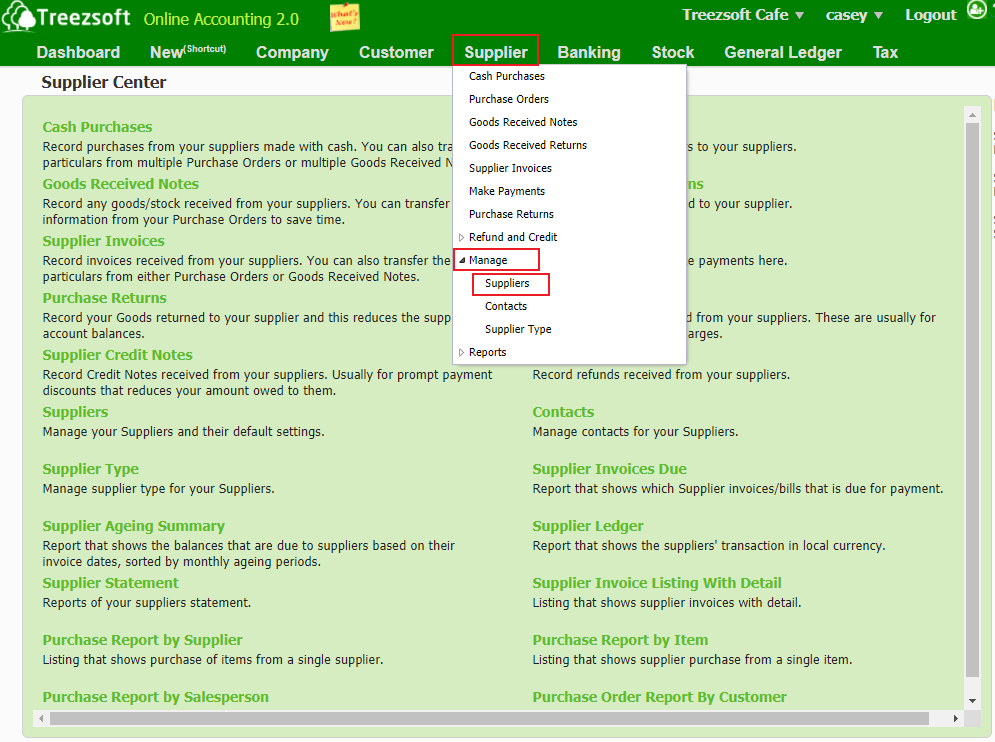
Click on the “Import Suppliers" button at the bottom left corner.
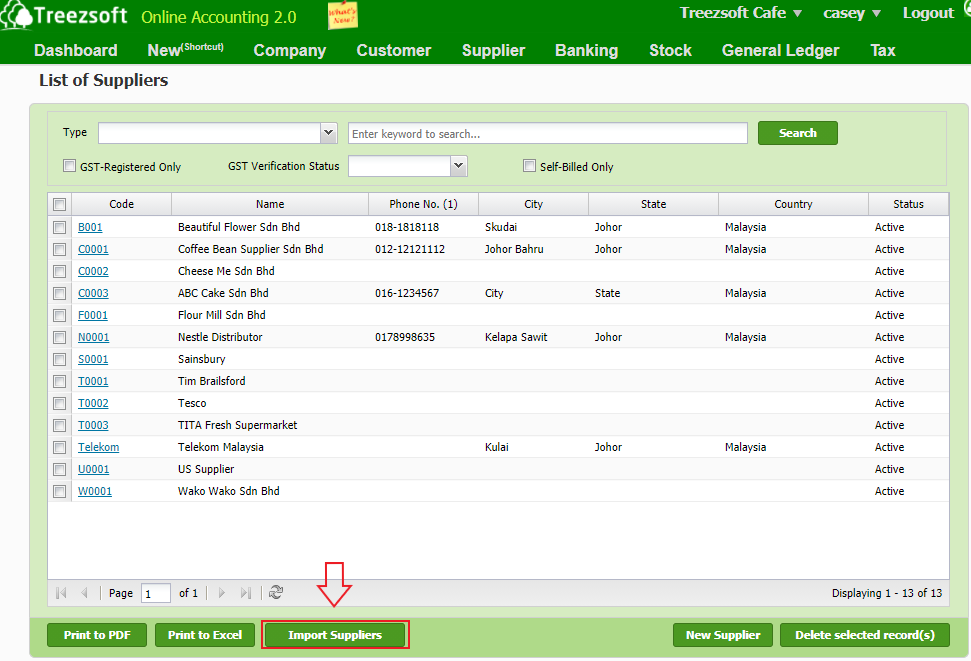
You will see the screen below after you click on the import button.
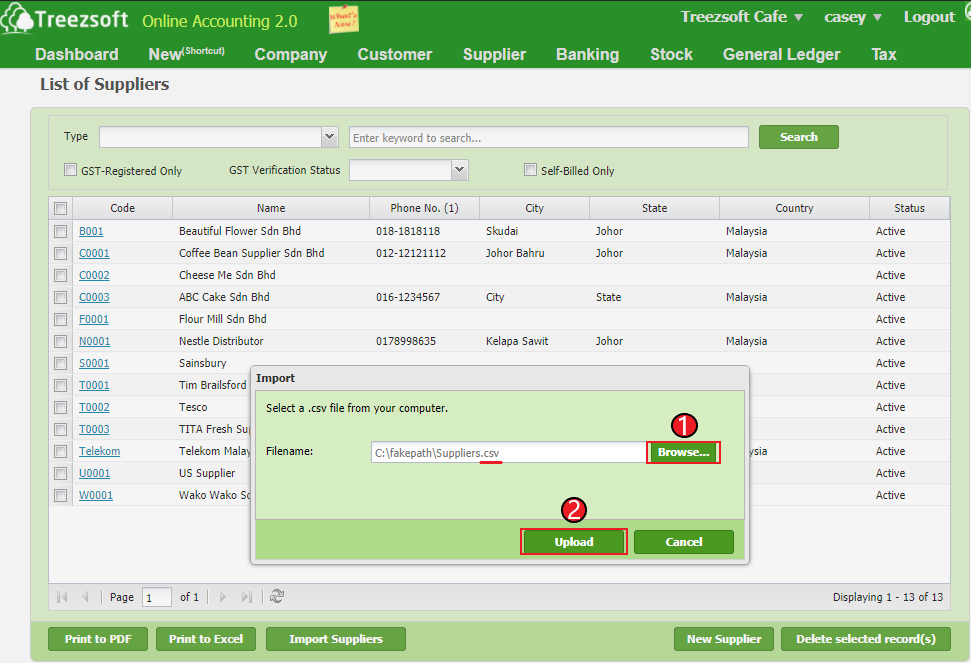
1. Click on "Browse" to select your suppliers based on a formatted CSV file provide by TreezSoft.
2. Click on "Upload' to proceed.
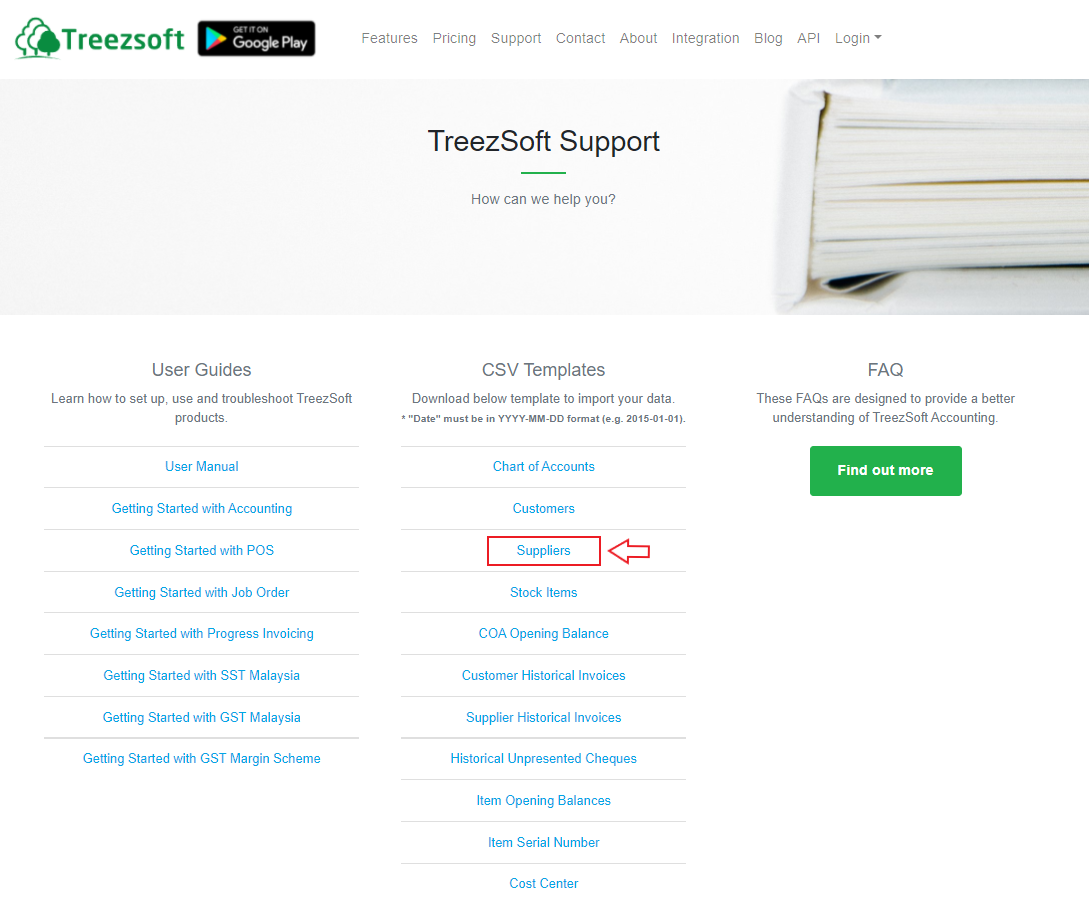
To import a list of suppliers, you can download the template from:
https://www.treezsoft.com/support.html
You can refer to the table below on the columns and restrictions when filling the data.
| Column |
Description |
Mandatory |
Remarks |
| Code |
The customer code |
Yes |
|
| Name |
The customer name |
Yes |
|
| Control Account Code |
The customer control account code |
Yes |
|
| Term |
The payment term for the customer |
|
Value: Payment Term code |
| Credit limit |
The credit limit for customer |
|
Max. 2 decimal places
Not allow negative
|
| Currency |
The currency used for the transaction |
Yes |
Value: Currency Code |
| Phone 1 |
The phone number of the customer |
|
|
| Phone 2 |
The phone number of the customer |
|
|
| Fax |
Customer telefax |
|
|
| Email |
Email address |
|
|
| Website |
Website |
|
|
| Address 1 |
Billing Address |
|
|
| Address 2 |
Delivery Address |
|
|
| City |
City |
|
|
| State |
State |
|
|
| Post Code |
Post Code |
|
|
| Country |
Country |
|
Value: Country full name |
| Contact Name |
Customer contact name |
|
|
| Supplier Type |
Define supplier type |
Yes |
Value: code |
| GST Registration No |
GST Registration Number |
|
Mandatory if:
GST Commence Date not empty
GST Cease Date not empty
GST Status not empty |
| GST Commence Date |
GST Commence Date |
|
Mandatory if:
GST Registration No not empty
GST Cease Date not empty
GST Status not empty
Format: YYYY-MM-DD
|
| GST Cease Date |
GST Cease Date |
|
Format: YYYY-MM-DD |
| GST Status |
GST Status |
|
Mandatory if:
GST Registration No not empty
GST Commence Date not empty
GST Cease Date not empty
Case sensitive
Value: Active/Inactive
|
You can visit these links to read more about supplier in TreezSoft:
You can also read more on import function in TreezSoft blog by visiting these links:
TreezSoft is a cloud accounting software for Small and Medium-sized Enterprises (SMEs). It allows you to access your financial information anytime, anywhere. It also allows you to have unlimited users for FREE for your account in TreezSoft. Our aim is to help reduce our clients' time spent on accounting mainly by using our automated processes and integration to help increase their company efficiency at minimum costs. SMEs can use TreezSoft to keep track of their expenses, accounts, daily operation e.g. Point of Sales (namely QPOS) system and etc.
Visit TreezSoft at http://www.treezsoft.com/ to sign up for a 30 days trial account with us!
You can also email us at [email protected] for more inquiries.